
Creating a web portal today is no longer a project limited to developers or IT-heavy teams. Organizations of all sizes are under pressure to provide stakeholders with a central hub for resources, collaboration, and communication. The demand is clear: fast, simple, and flexible digital solutions.
A no-code platform like LoftOS, for example, lets you design, launch, and manage portals without writing a single line of code. In this guide, you’ll learn what a web portal is, how it works, its key features, and the exact steps you can take to create one efficiently in 2026.
By the end, you’ll be equipped with the knowledge to choose the right tools and avoid common pitfalls, while building a portal that delivers a seamless user experience and long-term value.
Key Takeaways
- Build a web portal the smart way: pick a no-code platform, define your audience, then structure access with user roles and permissions.
- Nail usability early. Clear visual hierarchy, intuitive navigation bar, and a fast search box drive adoption.
- Ship value in weeks, not quarters. Start lean, then scale with reporting and analytics, integrations, and continuous iteration.
- Reduce risk with staged rollouts, internal testing, and a focus on real client experience.
What Is a Web Portal?
A web portal is a centralized online platform that brings together information, tools, and services in one accessible place. It acts as a secure entry point for users, providing personalized content, streamlined communication, and features tailored to specific needs such as knowledge sharing, networking, or resource management.
How Exactly Does It Work?
A web portal works by authenticating users, managing their access rights, and delivering content or tools based on their profiles. Features like a navigation bar, search box, and role-based user authentication ensure each visitor sees relevant information. Admins can organize resources, manage user groups, and monitor activity through reporting and analytics, while end-users benefit from a structured and intuitive user interface.
Types of Web Portals
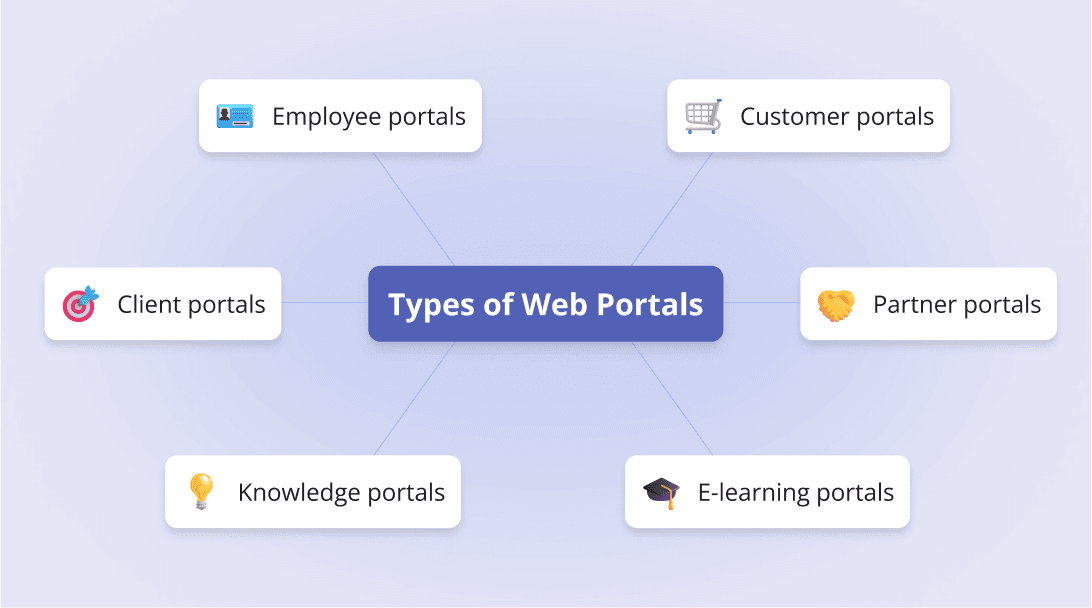
Web portals serve different purposes depending on the audience and goals. Here are the most common types:
- Employee portals: Centralized access to internal documents, HR tools, and workflows.
- Customer portals: Secure spaces for clients to manage accounts, track orders, or request support.
- Client portals: Often used in professional services to share resources, project updates, and billing.
- Partner portals: Collaboration hubs for suppliers, resellers, or business partners.
- Knowledge portals: Organized libraries for sharing documents, training, and research.
- E-learning portals: Online platforms for courses, assessments, and certifications, similar to a learning management system. Take a look at our E-Learning Software template and get started for free
Modern platforms like LoftOS are flexible enough to cover these scenarios, allowing organizations to consolidate needs into one digital space.
Key Features of a Web Portal
To make a web portal effective, it should include core features that improve efficiency, security, and usability:
- Dashboard & reporting and analytics: Track performance, activity, and KPIs in one view.
- Search box & navigation bar: Ensure users can find resources quickly through intuitive menus and filters.
- Content management system: Create, edit, and organize pages without technical help.
- User authentication & user roles and permissions: Secure access with role-based controls and, where needed, single sign-on.
- Personalization & user experience: Adapt content and layout to each user’s needs, with a clear visual hierarchy.
- Task management tools: Streamline processes like approvals, submissions, or event registrations.
- Integration options: Support for file uploads, payment gateways, and connections to existing tools.
Each of these features contributes to a portal that not only functions well but also scales with organizational needs, helping you grow your community effectively.
Step-by-Step Guide to Creating a Web Portal
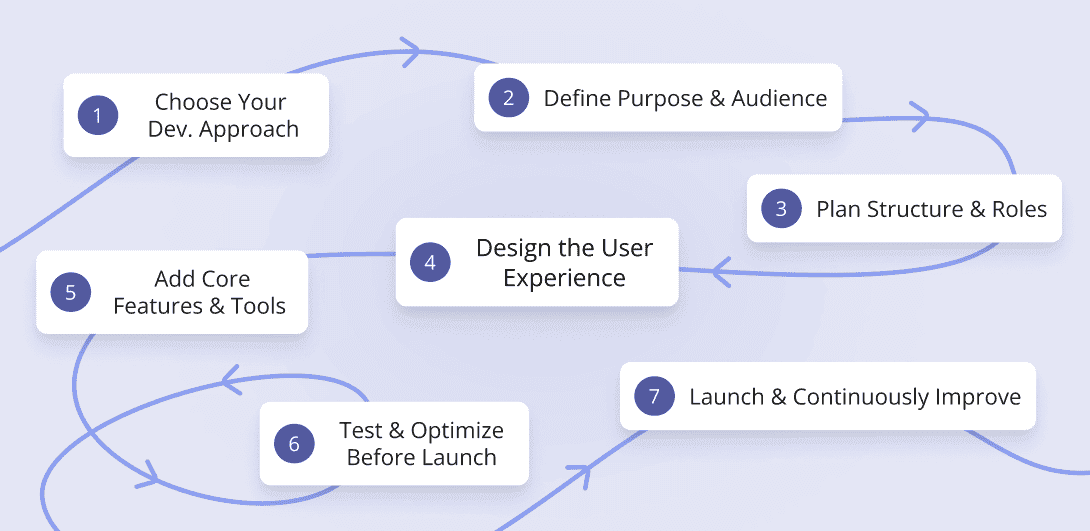
Building a web portal is a structured process. Each step matters, from choosing the right technology to refining user access. Below are the first key stages that will help you set a strong foundation.
Step #1: Choose Your Development Approach
The first decision is whether to custom-build or use a no-code platform.
Custom-builds are often expensive and time-consuming, while no-code tools are faster, more flexible, and require no IT department.
LoftOS is a versatile solution that can serve as portal software among many other use cases, giving you the option to set up a secure client portal or even broader community features without technical effort.
If your organization needs help comparing their options through, we recommend our web portal software guide, and afterward you can align your choice with a clear community strategy to ensure long-term success.
Step #2: Define Purpose and Audience
Before designing, clarify the goal of your web portal.
Is it meant for employees, customers, or partners? Each audience has unique expectations. For example, a learning management system supports online training, while a client portal provides collaboration and document sharing.
Identifying your primary audience early helps you avoid scope creep and ensures features match user needs. If you’re unsure how to align design with audience, a resource like this community website builder article shows how purpose-built portals can support different stakeholders effectively.
Step #3: Plan Structure and Roles
Once the purpose is clear, define the portal’s structure. Create logical sections for knowledge, events, or workflows, and set user roles and permissions to control who sees what.
LoftOS is strong here: Particularly for organizations planning long-term digital infrastructure or exploring how to build a digital platform, as it lets you organize user groups, tailor access by role, and even monetize memberships with tiered visibility. This flexibility makes your web portal secure, scalable, and sustainable.
Step #4: Design the User Experience
Good design boosts adoption, as explained in this practical community engagement plan.
A well-designed web portal keeps users engaged and productive. Focus on creating a clear visual hierarchy, a consistent user interface, and an intuitive navigation bar. These elements make it easy for people to find what they need.
A versatile tool like LoftOS supports flexible layouts and ensures the user experience feels smooth across different use cases.
Step #5: Add Core Features and Tools
The right mix of features ensures your portal is useful without being overloaded. Make sure you include essentials such as a search box, reporting and analytics, task management, and a simple content management system. Personalization options and secure user authentication also increase trust and usability.
Step #6: Test and Optimize Before Launch
Testing is critical to delivering a reliable portal. Conduct internal testing to validate performance, check data flows, and review security. Implement single sign-on for smoother access, and verify integrations like payment gateways and File uploads. LoftOS provides flexible integration options that support these needs without extra development.
To understand how testing fits within a broader digital build, see how to build a web app.
Step #7: Launch and Continuously Improve
Launching is only the beginning. Provide onboarding and clear customer support or customer service channels, so users adopt the portal confidently while also focusing on building a community around your product. Track engagement through reporting and analytics and improve over time, whether by refining features or modernizing workflows. LoftOS adapts easily, supporting ongoing software modernization without complex IT projects.
Cost of Creating a Web Portal
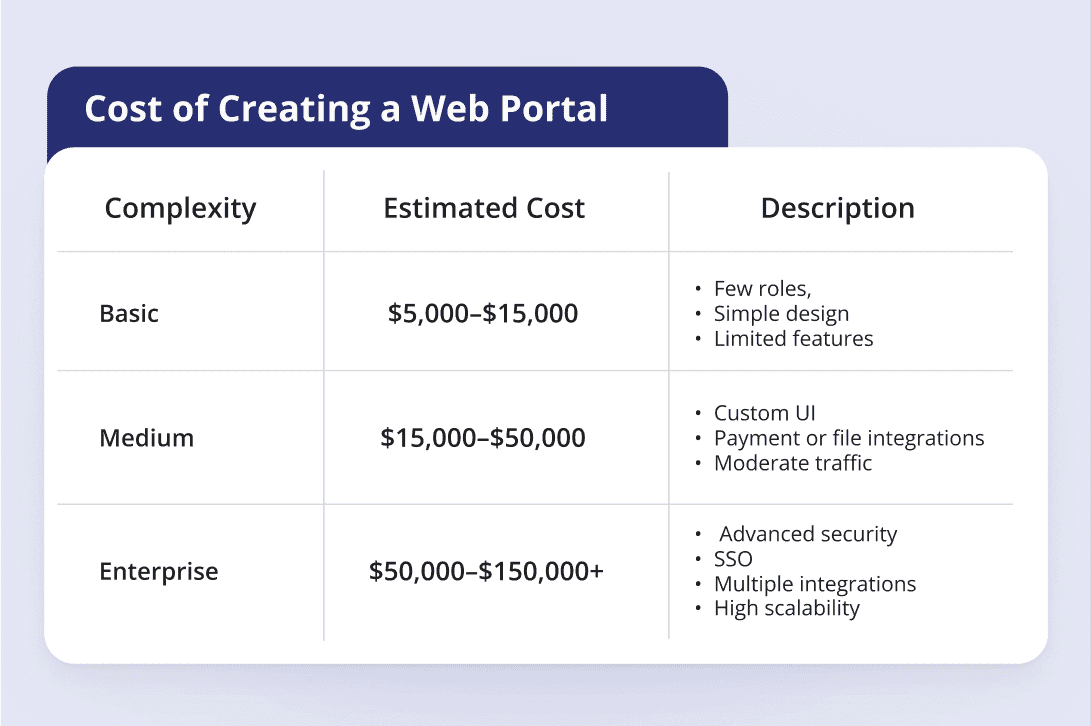
A web portal in 2026 typically costs between $5,000 and $150,000+, depending on scope and complexity. Small portals with limited roles and simple features sit at the lower end, while enterprise-grade portals with multiple integrations, advanced security, and large user bases fall into the higher ranges.
Estimated Costs by Complexity:
- Basic portal: $5,000–$15,000 (few roles, simple design, limited features)
- Medium complexity: $15,000–$50,000 (custom UI, payment or file integrations, moderate traffic)
- Enterprise level: $50,000–$150,000+ (advanced security, SSO, multiple integrations, high scalability)
Factors that affect cost:
- Features and functionality: advanced tools like reporting and analytics, task management, or SSO add complexity.
- Design and usability: custom layouts, visual hierarchy, and multi-device support.
- Team expertise: senior developers or specialized agencies drive costs up.
- Integrations: adding payment gateways, File uploads, or APIs.
- Testing and compliance: strong security, internal testing, and privacy requirements.
- Ongoing maintenance: hosting, updates, and continuous software modernization.
Pro Tip: To reduce costs and time-to-launch without cutting quality, start with a much more affordable no-code solution like LoftOS. You’ll cover core needs (roles, permissions, analytics, integrations) while avoiding expensive custom builds and lengthy timelines.
Common Challenges & How to Overcome Them
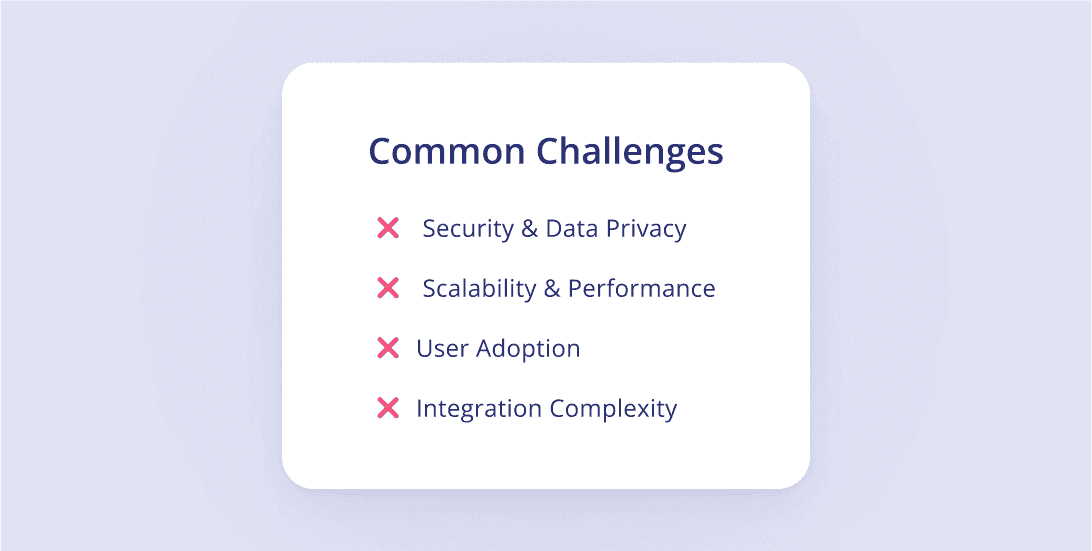
Even the best web portal projects can face obstacles. The key is to anticipate common issues and have clear strategies to address them. Here are four of the most important challenges, along with practical solutions.
Challenge #1: Security & Data Privacy
Users won’t trust a portal without strong safeguards. In today’s tech ecosystem, implementing robust user authentication, role-based access, and single sign-on is essential to protect data. A secure foundation also aligns with compliance needs across industries.
Challenge #2: Scalability & Performance
A portal that slows down or crashes under heavy use is a liability, as it can negatively affect community engagement metrics. Use internal testing and modular design to prepare for growth. Regular updates and ongoing software modernization keep performance stable.
Challenge #3: User Adoption
Even feature-rich portals fail if people don’t use them. A seamless user experience, clear visual hierarchy, and simple onboarding can make adoption easier. Member engagement grows when users feel value quickly.
Challenge #4: Integration Complexity
Disconnected systems waste time and frustrate users. Plan integrations carefully, focusing on essentials like reporting and analytics, task management, and third-party apps. Test connections before launch to avoid surprises. To see how integrated activities strengthen portals, review this piece on community engagement activities.
Time Required to Build a Web Portal
A full web portal in 2026 often takes 4 to 7 months from planning to launch, assuming a moderately complex scope. Simpler versions can roll out faster, but more advanced portals—with heavy integrations and security—can push this timeline further. Below are key factors that influence how long your project will take.
Factors affecting timeline:
- Scope & Complexity: Number of features, workflows, custom modules.
- Design & UX: Custom layouts, responsive design, and user interface work.
- Integration Needs: External systems, APIs, third-party tools.
- Testing & QA: Internal testing cycles, performance, security checks.
- Team Capacity & Experience: How many people, skill levels, availability.
- Feedback & Iteration: Stakeholder reviews, revisions, delays in approvals.
Estimated Time by Complexity:
- Basic portal: ~ 2 to 4 months
- Medium complexity: ~ 4 to 7 months
- Enterprise / Advanced: ~ 7 to 12+ months
Pro Tip: Use a modular, iterative approach. Launch a core version first, then expand features in phases. A tool built for flexibility, like LoftOS, can cut future cycles.
Examples of Web Portals
Web portals come in many shapes and sizes, tailored to the audiences they serve. Some focus on uniting regional ecosystems, while others act as hubs for research and learning. The following examples illustrate this variety. In these cases below, the organizations happened to build their solutions on LoftOS.
Example #1: Niedersachsen.next (Innomatch)
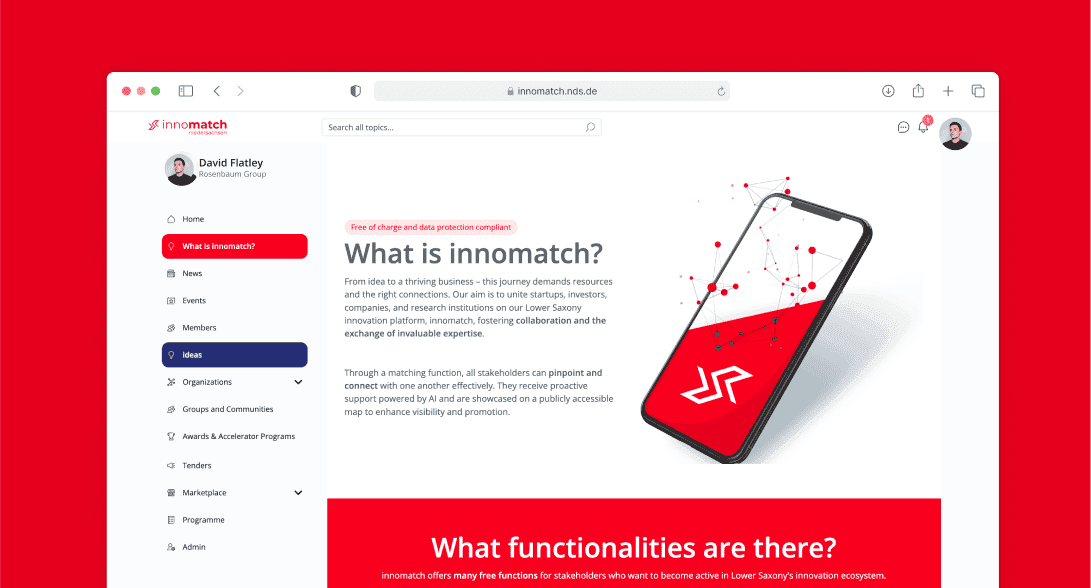
Niedersachsen.next built Innomatch as a regional web portal connecting startups, investors, and other stakeholders. The platform has grown into a full ecosystem, with thousands attending their events. By using LoftOS’ events modules and ticketing system, they segment participants efficiently and track results through reporting and analytics. Read the full Innomatch case study to see how they scaled their community.
Example #2: RWTH Aachen University (Collaeb)
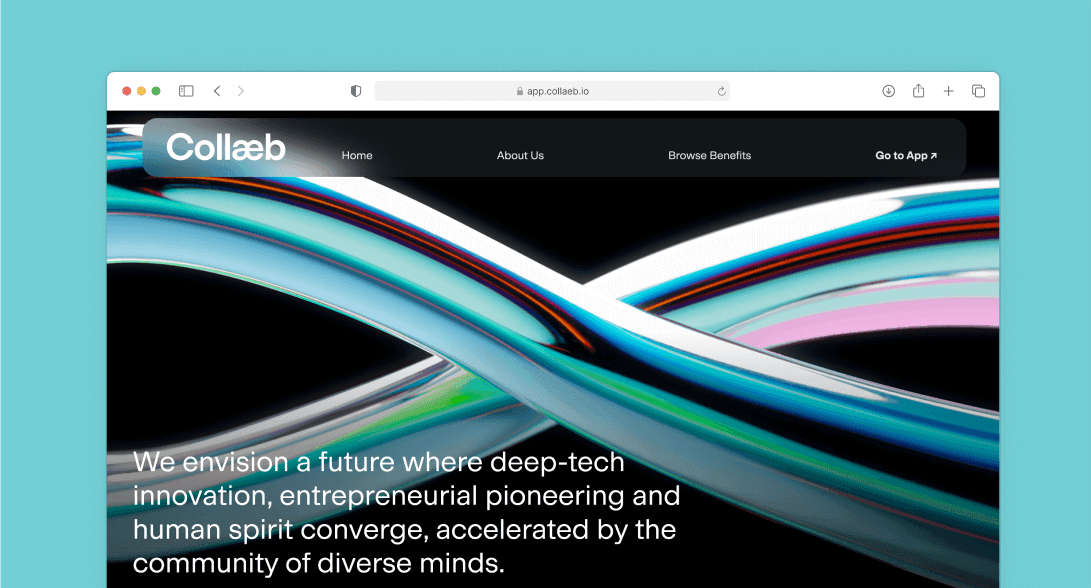
RWTH Aachen University created Collaeb as a central hub for entrepreneurship. Their web portal unifies mentors, researchers, students, and partners in one space, offering courses, accelerator programs, and networking opportunities. LoftOS enables this single destination to manage content, foster collaboration, and grow participation. Explore the Collaeb case study for details on how the university built a thriving entrepreneurship program.
Start Building Your Web Portal Today – No Coding Required
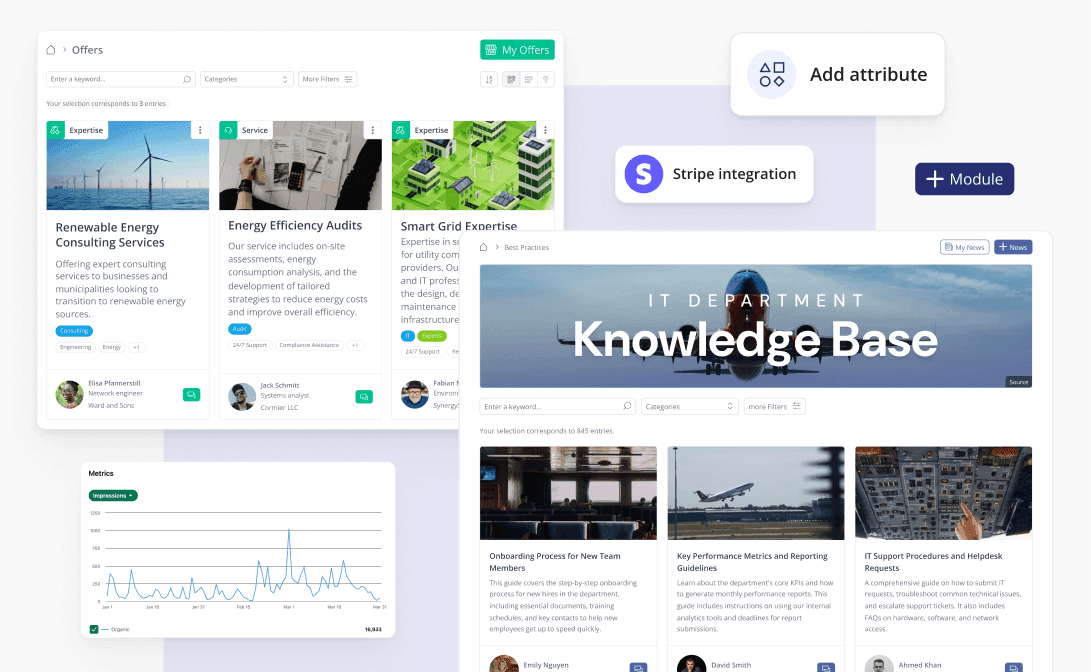
Creating a web portal no longer needs to be a drawn-out or expensive process. With modern no-code platforms, you can launch faster, test ideas, and expand as your needs grow. LoftOS gives organizations the flexibility to configure portals for communities, education, or corporate use without relying on IT. Learn more on launching faster with LoftOS, explore the pros and cons of build vs. buy software, or get started directly at innoloft.com.

Florian Feuer is Co-Founder and CMO of Innoloft, where he leads the marketing and customer success teams. Since launching Innoloft in 2019, he has worked with more than 100 community and platform operators — economic development agencies, tech transfer offices, associations, innovation clusters and corporates — who build their own portals on LoftOS.