

Logo
Best practices

3 Types of Reseller Platforms to Boost Your B2B Sales

Updated on Jun 5, 202611 min read
3 Types of Reseller Platforms that Everyone Should Know About

You've got a fantastic B2B product, but let's face it – getting it into the right hands can be a struggle. 

You need a sales strategy that's effective, efficient, and dare we say, even a little bit fun?

Enter reseller platforms. These digital tools easily connect you with business partners, buyers, distributors who are interested in reselling your product or service.

No more awkward cold calls or fruitless networking events.

Ready to take your B2B sales to the next level? 

This is a roadmap to help you get a better view of the digital landscape around B2B reseller platforms. 

We'll explore 3 types and how they can help supercharge your sales, simplify your operations, and build stronger partnerships. As a B2B reseller, understanding these reselling platforms is crucial for your success.

What is the Reseller Business Model?

Article image

At its core, a reseller buys products or services to sell them, not to use them. 

Essentially, a reseller sales products or services at a price higher than they purchased it. 

This strategy is crucial for widening distribution and accessing broader markets without producers having to sell directly. 

Resellers come in various flavors, let’s unpack the 3 most common ones: 

  • Retailers: They sell products directly to end consumers, often in smaller quantities, and may offer a curated selection of products from various manufacturers. 

  • Distributors: These resellers buy products in bulk from manufacturers and sell them to retailers or other businesses, often providing logistics and storage services

  • Value-added resellers: They enhance the original product with additional features, services, or support, then resell the bundled solution to end customers. 

Each of these bring unique value based on their operations and service enhancements.

Key to the reseller model is the relationship with the manufacturer or service provider, typically framed by agreements that set pricing, sales targets, and other rights. 

Resellers gain from selling sought-after products, supported by marketing, product info, and sometimes even training from the original provider.

From tech to consumer goods, the reseller business model is adaptable across market sectors. In fact, by 2026, Gartner research says, 80% of B2B sales interactions between suppliers and buyers will occur in digital channels. 

All it takes is the specialization, meeting specific customer needs and of course, the right reselling platform.

What is a B2B Reseller Platform?

Article image

Let’s get the basics out of the way first, think of B2B reseller platforms as the bustling marketplaces of the digital age, crucial for swapping goods and services between businesses. 

B2B reseller platforms are the gears that keep digital commerce running smoothly. 

At their core, these platforms are built to handle the essentials — buying, selling, and managing transactions digitally, fast and without much hassle.

And no, these aren't just websites; they're entire ecosystems designed to streamline everything from procurement to payments. Keep in mind, a well-designed reselling platform can revolutionize how you do business in the B2B space.

However, B2B reseller platforms differ significantly from their B2C counterparts.

B2B resellers face inherently more complex processes, with requirements varying greatly depending on the industry and type of goods being sold. This complexity necessitates flexible and tailored solutions that can adapt to the unique needs of each B2B transaction.

Horizontal or Vertical?

The differentiation between platforms often comes down to their orientation.

Horizontal platforms offer broad solutions designed to serve a wide array of industries, with general tools that apply to many business types. Think of Alibaba, for example. 

In contrast, vertical platforms are tailored to specific industries, providing specialized services and features that cater directly to the unique needs of those sectors.

The level of integration also sets these platforms apart. 

Some stick to arranging transactions, others go all-in, managing everything from payment processing to shipping and inventory management, and some are designed as partner portals where you can build a community for B2B resellers to access resources, exchange knowledge and get the training they need. 

This variety allows businesses to pick a platform that matches their needs, whether they're looking for a simple interface or a comprehensive business solution.

How to Tell Reseller Platforms Apart?

Article image

Understanding the differences between marketplaces and reseller platforms is key to finding the best option for your business. Each reselling platform we will discuss above has its unique features and benefits, catering to different business needs and strategies.

Deciding where your business fits on this spectrum can greatly influence your scalability and operational costs. 

To help you navigate through this diverse landscape, we chose 3 types of reselling platforms and came up with this simple framework to help you understand them better as you read through this article:

  • ‘Who is the reseller?’: Aims to identify whether you or another entity is selling the products.
  • ‘Who owns the platform?’: Is this platform fully yours? Determine the ownership of the platform to understand the control and responsibility dynamics.
  • ‘What is the role of the reseller platform?’: Clarifies whether the platform acts merely as a facilitator or if it plays a more active role in transactions and customer interaction.

This aims to make roles and responsibilities clearer, aiding in your strategic decision-making process as you select the ideal platform for your business operations.

With that being said, let’s discuss the 3 most popular types of reseller platforms. Each of these reselling platform types offers distinct advantages, so it's crucial to understand which one aligns best with your business model. 

Third-Party B2B Reseller Platforms

Who is the reseller?: You are the reseller, utilizing the platform to reach a broad audience.

Who owns the platform?: In this model, you’re not the platform owner, the company behind the platform is.

What is the role of the reseller platform?: Third-party platform serve as a facilitator, handling logistics and providing data insights to support your sales efforts. Some can help you with sourcing, others can help you with reselling.

Jumpstarting your B2B reseller business in this day and age has never been easier, thanks to third-party reseller platforms. 

With well-known hubs like Alibaba or Amazon Business, you gain instant access to a much later commercial environment primed for buying and reselling.

These platforms are perfect for B2B resellers eager to focus on making sales and growing their customer base without the burden of managing backend logistics. When choosing a third-party reselling platform, consider factors like user base, fees, and integration capabilities.

We can further divide third-party B2B reseller platforms in sourcing and selling, depending on their function. 

Let’s explore this further. 

The sourcing:

Alibaba is a prime example of a sourcing platform, where resellers can purchase products directly from manufacturers or factories in wholesale quantities. This type of platform allows resellers to explore a vast array of products, connect with suppliers, and even opt for white-labeling opportunities to sell products under their own brand name.

Platforms like San Francisco–based Faire, are also similar, where an online wholesale marketplace is set as a platform connecting brands (suppliers) to retailers at a wholesale level.

The selling:

Amazon Business exemplifies a selling platform, providing resellers with a ready-made B2B marketplace to list and sell the products they've sourced from manufacturers. These platforms offer resellers exposure to a broad customer base and often handle backend logistics, allowing them to focus on marketing and sales.

These platforms are a boon for all types of resellers, from entrepreneurs just getting started to more well-established enterprises. 

But what if you want to create your own online B2B marketplace platform? Then the next type of reseller platform might be the right solution for you.

Branded B2B Reseller Platforms

Who is the reseller?: You are the reseller, with the freedom to define how your platform operates and interacts with business customers.

Who owns the platform?: You own the platform, enabling full control over its development and the direction of your business.

What is the role of the reseller platform?: The platform serves as your enterprise hub, facilitating trade while allowing you to build and customize its features as your business evolves, ensuring it always meets your strategic needs.

Taking charge of your own B2B reseller platform means steering your business exactly where you want it to go, offering you unparalleled autonomy and the ability to craft a distinctive presence in the market. A branded reselling platform becomes an extension of your business identity, setting you apart from competitors.

Companies like Spryker, for example, provide technology that businesses rely on to build their own e-commerce platforms. 

They enable businesses to create highly customized shopping experiences in B2B, Enterprise Marketplaces, Unified Commerce, and B2C that can handle complex business requirements, like managing different pricing structures for different customers or integrating with other business systems. 

When you choose to build your platform, you decide the business model that aligns best with your vision.

This approach is ideal for resellers who desire not just to participate in the market, but to shape it. 

But having that kind of freedom comes with advantages and disadvantages. 

Let’s talk about them.

The advantages:

Owning your platform allows you to cultivate a specialized community around the products or services you’re reselling, enhancing your brand identity and creating deeper ties with your customers. 

You have complete control over your data and user interactions, ensuring greater security and compliance with industry standards, such as GDPR. 

This also enables you to leverage data to make strategic decisions and improve B2B relationships. Additionally, this type of platform gives you the flexibility to scale and evolve your business operations as you grow, adapting seamlessly to your changing needs.
Article image

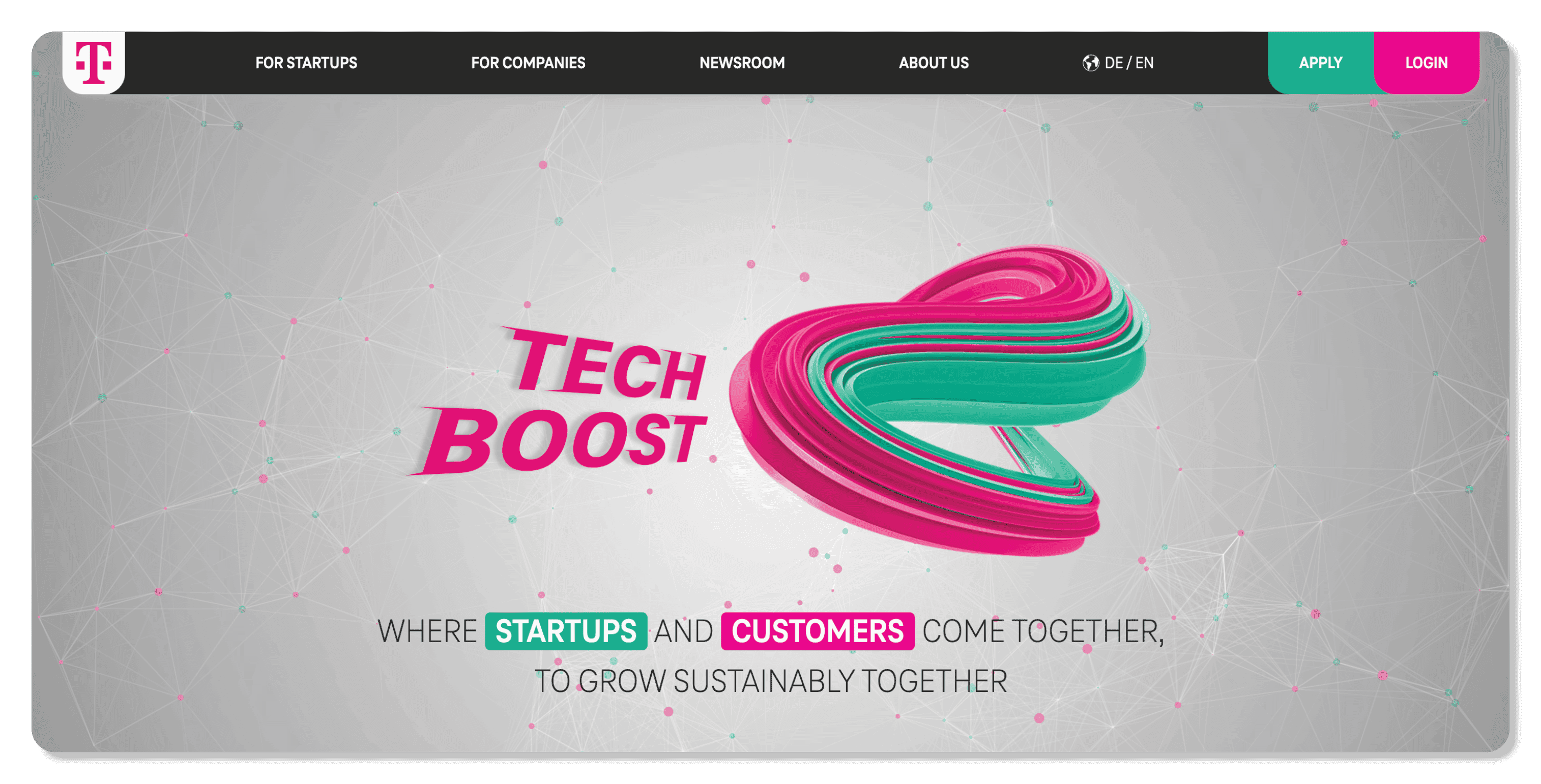
Take for example our customer Deutsche Telekom, they used LoftOS to create a successful B2B reseller platform and startup program called TechBoost, where they connect its business customers to startup solutions.

They're a critical middle man helping startups get access to a larger network of customers, while simultaneously providing corporates access to innovative solutions from over 750 verified B2B startups to become more digitally agile. 

They take advantage of LoftOS' highly customizable business matchmaking system to pair corporate challenges with suitable startup solutions.

The Disadvantages

Building your own branded B2B reseller platform comes with its own set of challenges. Unlike third-party platforms that come with built-in trust and credibility, you'll need to work harder to establish trust with your target audience. 

Also, you may not have access to the same network effects that third-party platforms enjoy, making it more challenging to attract and retain users. 

Owning your platform also means you're responsible for ongoing maintenance, updates, and ensuring the platform remains secure and functional. 

However, using a no-code platform like LoftOS can help mitigate some of these challenges, allowing you to build and scale your platform as you grow without requiring extensive technical expertise or relying heavily on IT departments.

Reseller Partner Management Platforms

Who is the reseller?: In this model, partners are the resellers of your product. You use the platform to manage and optimize your partnerships efficiently.

Who owns the platform?: The platform is typically owned and operated by companies specializing in partner management solutions. These companies offer their platforms as Software as a Service (SaaS).

What is the role of the reseller platform?: The platform acts as a command center, enhancing your ability to manage partnerships through automation, centralized data insights, and advanced communication tools, all designed to foster successful collaboration

This reseller platform type is for businesses keen on cultivating and managing numerous partnerships, partner management platforms provide a structured and efficient way to oversee marketing, distribution, and product collaborations. 

A robust reselling platform in this category can significantly streamline your partner relationships and boost overall efficiency.

Partnership management platforms like Impartner, and Kiflo specialize in simplifying the intricacies of partner relationships, ensuring smooth collaboration and effective communication with B2B reseller partners. 

These tools are a must for companies that depend on a robust partner ecosystem to broaden their market presence and influence.

One of the most compelling features of these platforms is the unified dashboard, which centralizes all partner interactions. 

This not only makes management easier, but also offers crucial data insights, helping you make well-informed decisions about your partnerships. 

This reduces manual efforts and frees up your time for more strategic activities.

On top of that, maintaining strong partnerships requires effective communication, and these platforms excel by providing advanced tools that ensure clear and consistent communication between all parties, aligning everyone with the business goals.

Benefits of Using a Reseller Software

Reseller platforms offer a world of advantages for businesses looking to expand their reach and boost sales. A well-chosen reselling platform can be the catalyst for exponential growth in your B2B operations.

These platforms streamline operations, connect you with a vast network of potential customers, and provide valuable insights to help you make informed decisions. 

Whether you opt for a third-party platform, create your own branded hub, or utilize partner management tools, embracing the digital realm can definitely revolutionize your B2B sales strategy.

Choosing a B2B Reselling Platform
Article image

Choosing the right reselling platform doesn't have to be overwhelming. Off-the-shelf options fit until your partner program needs custom workflows — our guide on how to build your own platform shows the no-code path most teams take after outgrowing standard tools.

Consider your business goals, target audience, and desired level of control when making your decision. 

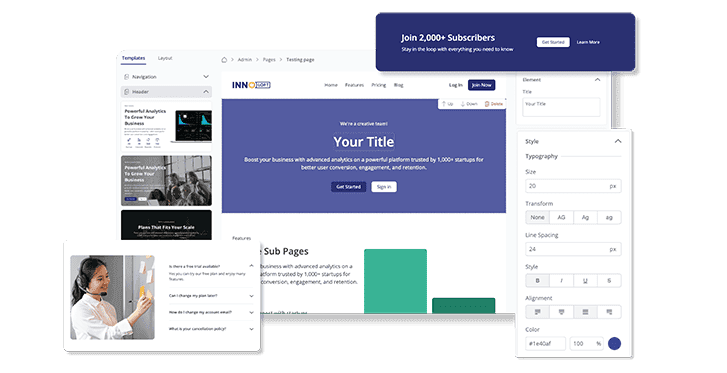
While LoftOS may not be the perfect fit for every type of reseller platform, it excels in helping you build your own branded reseller ecosystem and even a community-based partner management platform.  

As a no-code platform, LoftOS empowers you to fast-track your digitalization efforts without the need for extensive technical expertise. 

You can be your own developer, creating and customizing your platform to suit your unique business needs without waiting on slow IT departments dealing with a backlog of tasks.

Jumping aboard the no-code trend can even help you slash software development costs by up to 80%, making it an affordable and accessible option for businesses of all sizes.

With LoftOS, you can create a thriving community around your products or services, streamline your operations, and unlock new growth opportunities. Our user-friendly interface and powerful features make it easy to build and scale your platform as your business evolves.

You can get started with our Reseller platform software template. Why not give it a try for free and see how it can transform your B2B sales?

Share article

Related posts

Article image Step-by-Step Guide on How to Create a Web Portal That Works in 2026

Best practices

Step-by-Step Guide on How to Create a Web Portal That Works in 2026

Creating a web portal today is no longer a project limited to developers or IT-heavy teams. Organizations of all sizes are under pressure to provide stakeholders with a central hub for resources, collaboration, and communication. The demand is clear: fast, simple, and flexible digital solutions.A no-code platform like LoftOS, for example, lets you design, launch, and manage portals without writing a single line of code. In this guide, you’ll learn what a web portal is, how it works, its key features, and the exact steps you can take to create one efficiently in 2026.By the end, you’ll be equipped with the knowledge to choose the right tools and avoid common pitfalls, while building a portal that delivers a seamless user experience and long-term value.Key TakeawaysBuild a web portal the smart way: pick a no-code platform, define your audience, then structure access with user roles and permissions.Nail usability early. Clear visual hierarchy, intuitive navigation bar, and a fast search box drive adoption.Ship value in weeks, not quarters. Start lean, then scale with reporting and analytics, integrations, and continuous iteration.Reduce risk with staged rollouts, internal testing, and a focus on real client experience.What Is a Web Portal?A web portal is a centralized online platform that brings together information, tools, and services in one accessible place. It acts as a secure entry point for users, providing personalized content, streamlined communication, and features tailored to specific needs such as knowledge sharing, networking, or resource management.How Exactly Does It Work?A web portal works by authenticating users, managing their access rights, and delivering content or tools based on their profiles. Features like a navigation bar, search box, and role-based user authentication ensure each visitor sees relevant information. Admins can organize resources, manage user groups, and monitor activity through reporting and analytics, while end-users benefit from a structured and intuitive user interface.Types of Web PortalsWeb portals serve different purposes depending on the audience and goals. Here are the most common types:Employee portals: Centralized access to internal documents, HR tools, and workflows.Customer portals: Secure spaces for clients to manage accounts, track orders, or request support.Client portals: Often used in professional services to share resources, project updates, and billing.Partner portals: Collaboration hubs for suppliers, resellers, or business partners.Knowledge portals: Organized libraries for sharing documents, training, and research.E-learning portals: Online platforms for courses, assessments, and certifications, similar to a learning management system. Take a look at our E-Learning Software template and get started for freeModern platforms like LoftOS are flexible enough to cover these scenarios, allowing organizations to consolidate needs into one digital space.Key Features of a Web PortalTo make a web portal effective, it should include core features that improve efficiency, security, and usability:Dashboard & reporting and analytics: Track performance, activity, and KPIs in one view.Search box & navigation bar: Ensure users can find resources quickly through intuitive menus and filters.Content management system: Create, edit, and organize pages without technical help.User authentication & user roles and permissions: Secure access with role-based controls and, where needed, single sign-on.Personalization & user experience: Adapt content and layout to each user’s needs, with a clear visual hierarchy.Task management tools: Streamline processes like approvals, submissions, or event registrations.Integration options: Support for file uploads, payment gateways, and connections to existing tools.Each of these features contributes to a portal that not only functions well but also scales with organizational needs, helping you grow your community effectively.Step-by-Step Guide to Creating a Web PortalBuilding a web portal is a structured process. Each step matters, from choosing the right technology to refining user access. Below are the first key stages that will help you set a strong foundation.Step #1: Choose Your Development ApproachThe first decision is whether to custom-build or use a no-code platform. Custom-builds are often expensive and time-consuming, while no-code tools are faster, more flexible, and require no IT department. LoftOS is a versatile solution that can serve as portal software among many other use cases, giving you the option to set up a secure client portal or even broader community features without technical effort. If your organization needs help comparing their options through, we recommend our web portal software guide, and afterward you can align your choice with a clear community strategy to ensure long-term success.Step #2: Define Purpose and AudienceBefore designing, clarify the goal of your web portal. Is it meant for employees, customers, or partners? Each audience has unique expectations. For example, a learning management system supports online training, while a client portal provides collaboration and document sharing. Identifying your primary audience early helps you avoid scope creep and ensures features match user needs. If you’re unsure how to align design with audience, a resource like this community website builder article shows how purpose-built portals can support different stakeholders effectively.Step #3: Plan Structure and RolesOnce the purpose is clear, define the portal’s structure. Create logical sections for knowledge, events, or workflows, and set user roles and permissions to control who sees what.LoftOS is strong here: Particularly for organizations planning long-term digital infrastructure or exploring how to build a digital platform, as it lets you organize user groups, tailor access by role, and even monetize memberships with tiered visibility. This flexibility makes your web portal secure, scalable, and sustainable. Step #4: Design the User ExperienceGood design boosts adoption, as explained in this practical community engagement plan.A well-designed web portal keeps users engaged and productive. Focus on creating a clear visual hierarchy, a consistent user interface, and an intuitive navigation bar. These elements make it easy for people to find what they need. A versatile tool like LoftOS supports flexible layouts and ensures the user experience feels smooth across different use cases. Step #5: Add Core Features and ToolsThe right mix of features ensures your portal is useful without being overloaded. Make sure you include essentials such as a search box, reporting and analytics, task management, and a simple content management system. Personalization options and secure user authentication also increase trust and usability.Step #6: Test and Optimize Before LaunchTesting is critical to delivering a reliable portal. Conduct internal testing to validate performance, check data flows, and review security. Implement single sign-on for smoother access, and verify integrations like payment gateways and File uploads. LoftOS provides flexible integration options that support these needs without extra development. To understand how testing fits within a broader digital build, see how to build a web app.Step #7: Launch and Continuously ImproveLaunching is only the beginning. Provide onboarding and clear customer support or customer service channels, so users adopt the portal confidently while also focusing on building a community around your product. Track engagement through reporting and analytics and improve over time, whether by refining features or modernizing workflows. LoftOS adapts easily, supporting ongoing software modernization without complex IT projects.Cost of Creating a Web PortalA web portal in 2026 typically costs between $5,000 and $150,000+, depending on scope and complexity. Small portals with limited roles and simple features sit at the lower end, while enterprise-grade portals with multiple integrations, advanced security, and large user bases fall into the higher ranges.Estimated Costs by Complexity:Basic portal: $5,000–$15,000 (few roles, simple design, limited features)Medium complexity: $15,000–$50,000 (custom UI, payment or file integrations, moderate traffic)Enterprise level: $50,000–$150,000+ (advanced security, SSO, multiple integrations, high scalability)Factors that affect cost:Features and functionality: advanced tools like reporting and analytics, task management, or SSO add complexity.Design and usability: custom layouts, visual hierarchy, and multi-device support.Team expertise: senior developers or specialized agencies drive costs up.Integrations: adding payment gateways, File uploads, or APIs.Testing and compliance: strong security, internal testing, and privacy requirements.Ongoing maintenance: hosting, updates, and continuous software modernization.Pro Tip: To reduce costs and time-to-launch without cutting quality, start with a much more affordable no-code solution like LoftOS. You’ll cover core needs (roles, permissions, analytics, integrations) while avoiding expensive custom builds and lengthy timelines.Common Challenges & How to Overcome ThemEven the best web portal projects can face obstacles. The key is to anticipate common issues and have clear strategies to address them. Here are four of the most important challenges, along with practical solutions.Challenge #1: Security & Data PrivacyUsers won’t trust a portal without strong safeguards. In today’s tech ecosystem, implementing robust user authentication, role-based access, and single sign-on is essential to protect data. A secure foundation also aligns with compliance needs across industries.Challenge #2: Scalability & PerformanceA portal that slows down or crashes under heavy use is a liability, as it can negatively affect community engagement metrics. Use internal testing and modular design to prepare for growth. Regular updates and ongoing software modernization keep performance stable. Challenge #3: User AdoptionEven feature-rich portals fail if people don’t use them. A seamless user experience, clear visual hierarchy, and simple onboarding can make adoption easier. Member engagement grows when users feel value quickly. Challenge #4: Integration ComplexityDisconnected systems waste time and frustrate users. Plan integrations carefully, focusing on essentials like reporting and analytics, task management, and third-party apps. Test connections before launch to avoid surprises. To see how integrated activities strengthen portals, review this piece on community engagement activities.Time Required to Build a Web PortalA full web portal in 2026 often takes 4 to 7 months from planning to launch, assuming a moderately complex scope. Simpler versions can roll out faster, but more advanced portals—with heavy integrations and security—can push this timeline further. Below are key factors that influence how long your project will take.Factors affecting timeline:Scope & Complexity: Number of features, workflows, custom modules.Design & UX: Custom layouts, responsive design, and user interface work.Integration Needs: External systems, APIs, third-party tools.Testing & QA: Internal testing cycles, performance, security checks.Team Capacity & Experience: How many people, skill levels, availability.Feedback & Iteration: Stakeholder reviews, revisions, delays in approvals.Estimated Time by Complexity:Basic portal: ~ 2 to 4 monthsMedium complexity: ~ 4 to 7 monthsEnterprise / Advanced: ~ 7 to 12+ monthsPro Tip: Use a modular, iterative approach. Launch a core version first, then expand features in phases. A tool built for flexibility, like LoftOS, can cut future cycles. Examples of Web PortalsWeb portals come in many shapes and sizes, tailored to the audiences they serve. Some focus on uniting regional ecosystems, while others act as hubs for research and learning. The following examples illustrate this variety. In these cases below, the organizations happened to build their solutions on LoftOS. Example #1: Niedersachsen.next (Innomatch)Niedersachsen.next built Innomatch as a regional web portal connecting startups, investors, and other stakeholders. The platform has grown into a full ecosystem, with thousands attending their events. By using LoftOS’ events modules and ticketing system, they segment participants efficiently and track results through reporting and analytics. Read the full Innomatch case study to see how they scaled their community.Example #2: RWTH Aachen University (Collaeb)RWTH Aachen University created Collaeb as a central hub for entrepreneurship. Their web portal unifies mentors, researchers, students, and partners in one space, offering courses, accelerator programs, and networking opportunities. LoftOS enables this single destination to manage content, foster collaboration, and grow participation. Explore the Collaeb case study for details on how the university built a thriving entrepreneurship program.Start Building Your Web Portal Today – No Coding RequiredCreating a web portal no longer needs to be a drawn-out or expensive process. With modern no-code platforms, you can launch faster, test ideas, and expand as your needs grow. LoftOS gives organizations the flexibility to configure portals for communities, education, or corporate use without relying on IT. Learn more on launching faster with LoftOS, explore the pros and cons of build vs. buy software, or get started directly at innoloft.com.

Article image What Is a Digital Platform Strategy? Importance & Implementation Guide

Best practices

What Is a Digital Platform Strategy? Importance & Implementation Guide

Most organizations struggle to scale digital initiatives without a clear plan. A digital platform strategy provides the roadmap. It defines how platforms are built, governed, and scaled to meet real business objectives. Without it, efforts remain fragmented, costly, and disconnected from user needs. In this guide, we cover everything from core definitions to practical steps, benefits, challenges, and proven best practices, giving you a complete framework to act with confidence.In this guide, we explain what it means, why it matters, and how to put it into practice step by step.Key TakeawaysA digital platform strategy ensures digital initiatives align with business goals and measurable outcomes.It connects critical elements, platform technologies, governance, and data, with user engagement to drive adoption.Following a step-by-step approach, organizations can move from defining goals to launching a minimum viable product, deploying governance, and scaling with confidence.Benefits include stronger engagement, economic impact, and sustainable growth across the platform ecosystem and broader platform economy.Challenges such as low adoption or weak measurement can be avoided with clear goals, analytics, and structured engagement activities.What Is a Digital Platform?A digital platform is a structured environment that connects users, data, and services in one place. It improves user experience by enabling interactions, transactions, and knowledge sharing. Examples include e-commerce platforms, enterprise platforms, and community hubs that drive collaboration and value exchange.What Is Digital Platform Strategy?A digital platform strategy is the structured plan that defines how platforms are created, managed, and expanded to support organizational goals. It aligns platform technologies, governance, and processes to deliver a clear value proposition. By doing so, it ensures platforms remain adaptable, scalable, and relevant in fast-moving markets.Components of a Digital Platform StrategyA strong strategy combines business direction with technical execution. It provides clarity for leaders, IT teams, and platform adopters, ensuring decisions improve both performance and sustainability. Once the execution side starts, our companion guide on how to build a custom web app shows the no-code stack and rework patterns most teams hit.Key components include:Vision and goals: Define outcomes the platform must achieve, such as growth or efficiency.Governance model: Roles, policies, and accountability frameworks for platform management.Technology infrastructure: Reliable platform ecosystem supported by integrations, APIs, and secure data handling. LoftOS provides adaptable building blocks like custom modules and matchmaking tools.User engagement: Focus on Digital Experience Platform design to create intuitive, accessible journeys.Data and analytics: Measure activity, performance, and impact for continuous improvement.Scalability and adaptability: Ensure the system can support more users, new services, or enterprise platforms without disruption.Step-by-Step Guide to Building a Platform StrategyA digital platform strategy is only useful if it can be put into practice. Here are five steps that show how to move from planning to measurable outcomes. Our companion guide on how to build a digital platform covers the execution side — modules, stack, and the no-code path from MVP to scale.Step 1: Define Objectives and Value PropositionStart by clarifying what the platform should achieve. A clear value proposition sets direction for your team and expectations for platform adopters. Objectives might include stronger community engagement strategies, faster knowledge sharing, or new revenue streams. Without defined goals, every other step risks falling short.Step 2: Map the Platform EcosystemIdentify who will use the platform and how they interact. A strong platform ecosystem connects members, partners, and stakeholders through an intuitive Digital Experience Platform. `For example, when outlining user groups, think of admins, contributors, and external partners. LoftOS provides building blocks like member directories and content spaces that simplify this mapping. See how community leaders succeed in building B2B communities.Step 3: Build a Minimum Viable ProductAvoid overengineering at the start. Launch a minimum viable product to test your assumptions with a smaller audience before scaling. In the platform economy, speed matters. LoftOS enables organizations to create prototypes with custom modules quickly, validating engagement before committing large budgets. Learn more from our guide on how to build community frameworks.Step 4: Deploy Technology and GovernanceExecution depends on the right platform technologies and governance model. Define rules for data use, privacy, and accountability. Modern enterprise platforms must balance security with usability. LoftOS simplifies deployment through drag‑and‑drop modules, integrated event tools, and secure data handling. Explore more in our article on managing technology ecosystems.Step 5: Scale and Optimize the StrategyOnce the foundation is stable, focus on growth. This includes expanding user groups, refining features, and aligning with broader organizational transformation goals. Tracking performance is essential to guide platform technology strategy and ensure results. With analytics and engagement features, LoftOS supports scaling digital communities without major IT effort.Benefits of Platform StrategiesA strong digital platform strategy brings measurable value to both organizations and users. Here are the main benefits:Improved User Engagement: A well-designed Digital Experience Platform ensures smoother interactions and long-term loyalty. This is the foundation of community-led growth, where engagement drives adoption.Economic and Operational Impact: By consolidating services into unified enterprise platforms, organizations save costs, reduce inefficiencies, and support digital business transformation without lengthy IT projects.Scalable Growth: With a clear framework, platforms can expand to new markets and audiences, strengthening the platform economy. Using analytics and feedback loops ensures decisions are data-driven and sustainable.Collaboration and Innovation: A healthy platform ecosystem encourages knowledge-sharing and partnerships, fostering innovation. Learn more about the tangible benefits of building online communities that generate long-term value.Together, these benefits make platform strategies a cornerstone of modern organizational growth.Common Challenges & How to Overcome ThemEven the best digital platform strategy will fail without anticipating obstacles. Here are five common challenges and how to address them.Challenge 1: Lack of Clear GoalsMany organizations jump into platforms without defined outcomes, which derail organizational transformation efforts. Without measurable objectives, success is impossible to track. Pro Tip: Always link goals to business outcomes and define key results upfront. This ensures your platform aligns with leadership priorities and avoids wasted resources.Challenge 2: Low User EngagementA platform without active users quickly becomes irrelevant. When platform adopters don’t participate, the Digital Experience Platform loses value. Engagement grows when admins design relevant spaces, useful content, and interactions that reward participation. A proven approach is implementing structured community engagement activities that encourage regular contributions and spark dialogue.Challenge 3: Data Silos and Poor MeasurementLeaders need evidence that platforms work. Without integrated analytics, insights stay locked in silos. Weak reporting undermines the platform technology strategy and leads to uninformed decisions. Pro Tip: Bake in analytics from the start. Tools that track member activity and outcomes make it easier to prove ROI. Explore how community engagement metrics reveal which actions truly drive results.Challenge 4: Resistance to AdoptionEven well-designed platforms face hesitation from staff and stakeholders. Some teams resist change because workflows feel disrupted. This slows growth of the platform ecosystem. Pro Tip: Start small with early adopters and champions who showcase benefits. Visible success stories build trust and encourage broader participation across the organization.Challenge 5: Overcomplex Technology ChoicesMany organizations overbuild, choosing heavy platform technologies or sprawling enterprise platforms that take months to implement. Complexity discourages users and stalls momentum. Pro Tip: Pick adaptable, modular tools that scale with needs rather than overwhelm teams. Lightweight solutions like LoftOS show how platforms can remain simple without sacrificing capability.By recognizing and tackling these issues early, organizations increase the odds of lasting success with their platform strategy.Best Practices for a Successful Digital Platform StrategyWhen readers scroll here, they expect clarity, not theory. These five best practices will give you a proven framework to make your digital platform strategy successful from day one.Practice 1: Define Goals and ObjectivesEvery platform fails without a clear destination. Before writing a single line of code, define outcomes that matter: revenue growth, higher engagement, or knowledge sharing. A precise value proposition ensures platform adopters understand why they should join. Tools matter here too. As explored in our best no-code app builder guide, platforms built with focus scale faster. Pro Tip: LoftOS stands out among no-code solutions for its speed, customization, and scalability, making it a reliable choice when clarity meets execution.Practice 2: Set Key Channels and RolesWithout structure, collaboration gets messy. Decide early which communication channels exist and who manages them. This turns your Digital Experience Platform into an organized space instead of a noisy forum. A good example is creating role-based hubs, similar to what’s explained in our resource on building community websites. LoftOS simplifies this by letting you design member areas with easy to use, flexible tools.Practice 3: Develop a Content StrategyContent keeps platforms alive. Without regular updates, even the strongest platform ecosystem goes silent. Map out an editorial plan that includes resources, events, and conversations that matter to your users. The community engagement plan outlines how consistent publishing sustains loyalty. On LoftOS, admins can automate updates and newsletters, so content strategy becomes manageable instead of overwhelming.Practice 4: Measure and IterateWhat isn’t measured can’t improve. Tracking data isn’t optional. It’s what separates growth from guesswork. A solid platform technology strategy includes KPIs that prove value to leadership and funders. For practical guidance, this community strategy shows you how iteration cycles turn insights into improvements. LoftOS dashboards make it easy to see what’s working and what isn’t, without extra analytics tools.Practice 5: Foster Continuous EngagementLaunching is only half the work. Sustaining momentum means ensuring platform adopters return, interact, and contribute regularly. This is how a thriving platform ecosystem forms. Engagement grows through events, groups, and networking opportunities. LoftOS comes with a wide array of features like matchmaking or speed networking to encourage members to stay active, making engagement a natural habit instead of a forced effort.By applying these practices, you give your platform not just a launchpad, but a long runway for success.Simplify Your Platform Strategy with No-Code Solutions from LoftOSRunning a digital platform strategy doesn’t need to be complex or time-consuming. With LoftOS, you get everything in one place: event management, member directories, databases, landing pages, chat, matchmaking, and networking tools.It’s flexible, customizable, and built for organizations that want results without technical barriers. Discover the full LoftOS product overview, or explore how LoftOS makes strategy execution simple. The tools are ready, you just need to take the next step.

Article image Top 5 Matchmaking Tools & Software in 2026

Best practices

Top 5 Matchmaking Tools & Software in 2026

Finding the right connections at events or within professional communities has never been harder. Manual outreach, endless spreadsheets, and one-size-fits-all networking rarely deliver results. The answer is matchmaking software — tools built to automate introductions and help people connect based on shared goals, interests, or business needs. In this article, we’ll break down the top 5 matchmaking software in 2026, compare their features and pricing, and show you how to choose the right platform for your organization.Key TakeawaysInnoloft: Best overall B2B matchmaking software for organizations that need an all-in-one platform with customizable matchmaking, event management, and community featuresb2match: Best for organizers who want AI-powered meeting recommendations and structured B2B matchmaking formats for trade fairs, expos, and hybrid events.Grip: Ideal for large-scale conferences needing advanced AI algorithms, automated scheduling, and real-time analytics to measure participant engagement and ROI.Brella: A strong choice for startup ecosystems and investor-focused events, offering AI matchmaking and sponsor engagement features tailored to accelerators and innovation hubs.SmartMatchApp: Affordable option for associations and membership organizations that need CRM-style matchmaking tools beyond events, with clear and flexible per-admin pricing.1. Innoloft’s LoftOS – Best Overall Matchmaking SoftwareLoftOS stands out as the most complete solution for organizations that need matchmaking at the core of their events. It combines precision matching with event management and engagement tools, making it suitable for both large conferences and smaller community-driven programs.Key FeaturesCustomizable Matchmaking: Define what makes a perfect match for your event. Use participant profiles, goals, and location data to set matching rules. Weight importance levels, enable automatic recalculations, and cross-sync with other databases for accurate and up-to-date pairings.Speed Dating & Meeting Scheduling: Move beyond passive networking. LoftOS offers structured speed-dating formats and built-in meeting scheduling, ensuring participants meet the right people at the right time. Attendees can register flexibly and organizers can track all sessions in one place.Event Module with Analytics: Host virtual, hybrid, or in-person events with full agenda customization, video integration, and live chats. Event analytics provide insight into engagement levels, popular sessions, and matchmaking outcomes, giving organizers measurable results.PricingLoftOS offers flexible plans for different team sizes and needs:LoftOS Free – For testing and learning about LoftOS. Includes 5 users, 2 admins, and unlimited visitors.LoftOS Starter ($29 per month) – For small user numbers and low support needs. Includes 25 users, 2 admins, and ticket & email support.LoftOS Team ($349 per month) – Base features for moderate user numbers. Includes 250 users, 3 admins, onboarding by a customer success manager, and a customizable domain.LoftOS Professional ($849 per month) – Advanced features for larger user numbers. Includes 1,000 users, 10 admins, 2 languages, analytics, and a commerce package.LoftOS Enterprise (pricing on request) – Expanded customer success and high user numbers. Includes custom users, unlimited admins, all features, and full white label.See the full plan breakdown on our pricing page.Where Innoloft ShinesAll-in-one platform: Combines matchmaking, events, and community features in one place.Ease of use: Admins can configure matchmaking rules and event workflows without IT support.Trusted support: Dedicated customer success managers help tailor the matchmaking process to fit your event format.Where Innoloft Falls ShortBecause LoftOS is highly flexible and adaptable to many use cases, there can be a learning curve during setup. Most organizations benefit from initial guidance, after which the system runs smoothly. The breadth of customization is a strength, but it’s best leveraged with support from our customer success team to make the most of the platform.Customer Reviews“The flexibility and adaptability of the platform. The quick response rate of our CSM [sensitive content hidden]. The fact that we can build our own modules and programmes and now even our own category trees. ” - Capterra Review“I love the possibility of easy customization and openness of features to adapt to your dedicated use case. The company cares about its customers and listen to their new ideas or requirements to implement in the future. If there is any bug, the team is fast to repair it. ” - Capterra ReviewWho Innoloft is Best ForInnovation and trade organizations: Associations, clusters, or accelerators that need to connect startups, corporates, and investors efficiently.Universities and research institutions: Teams managing tech transfer, spin-offs, or entrepreneurship programs that require structured networking and reporting.Event organizers: Running conferences, trade fairs, or hybrid events where matchmaking and participant engagement are central to success.2. b2match – Best for Global Industry Eventsb2match is a comprehensive B2B event matchmaking platform designed to create meaningful connections across in-person, hybrid, and virtual formats. With over a decade of experience and thousands of events hosted, it provides organizers with robust tools for networking, scheduling, and participant engagement. Its strength lies in combining automated AI-powered recommendations with flexible event workflows, making it a reliable choice for international conferences and industry trade shows.Key FeaturesAI-Powered Matchmaking: Uses machine learning to recommend relevant participant profiles in real time, helping attendees find the most valuable connections.Segmentation & Booking Rules: Allows organizers to segment attendees by type (investor, startup, buyer, seller) and set rules for who can connect, ensuring quality meetings.Integrated Meeting Tools: Supports one-to-one, one-to-many, and group meetings with agenda management, scheduling, and availability tracking.Performance Analytics: Provides insights into meeting requests, accepted matches, and cancellations so organizers can measure engagement and refine event workflows.Pricing For Single EventsStarter (Starting from €699): Perfect for small gatherings, workshops, or focused B2B meetings. Includes up to 100 participants, 1 consultation hour, and 24/7 self-service support.Basic (Pricing on request): Designed for conferences, seminars, and training sessions. Includes 100 participants, 2 consultation hours, and a customizable event website.Professional (Pricing on request): Built for multinational conferences and multi-track expos. Includes 100 participants, 4 consultation hours, and advanced matchmaking features.Professional plus (Pricing on request): Ideal for international conferences and multi-day summits. Includes 100 participants, 6 consultation hours, and lead retrieval.For full details, visit their official pricing page.They also offer plans for multiple events, but the prices are not disclosed publicly.Where b2match ShinesGlobal events: Designed for international industry events with diverse participants.Flexibility: Supports in-person, virtual, and hybrid networking with equal strength.Structured meetings: AI recommender and booking rules keep connections relevant and efficient.Where b2match Falls ShortComplex setup: Advanced customization may require extra time for configuration.Pricing tiers: Costs rise quickly for larger events or advanced features.Learning curve: Organizers may need onboarding to leverage the full suite of tools.Customer Reviews"The AI-powered matchmaking feature was especially valuable. It helped participants quickly identify relevant contacts based on shared interests. The platform's structured meeting slots and easy scheduling system also made it simple to organize efficient and meaningful B2B meetings." — Capterra Review“ Ease of using the platform, options it contains, how customizable it is, handles the event workflow” — Capterra ReviewWho b2match is Best ForEvent organizers: Running global conferences, trade fairs, or large hybrid events where structured matchmaking and international reach are critical.3. Grip – Best AI-Driven MatchmakingGrip is an AI-powered event platform built to drive revenue growth and improve networking outcomes. Unlike standard matchmaking tools, Grip combines machine learning with billions of data points across its ecosystem, delivering precise meeting recommendations for participants. Its flexible system allows organizers to use it as a full event management suite or integrate it with their existing tech stack. Trusted by organizers like Ascential, Clarion, and Hyve, Grip is known for its scale, reliability, and focus on measurable results.Key FeaturesAI-Powered Recommendations: Grip leverages 16+ algorithms and billions of interactions to suggest the most relevant meetings for participants, adapting as behaviors change.Mobile Event App: The award-winning app provides real-time updates, session recommendations, and calendar sync, helping participants manage their schedules with ease.Automated Scheduling (MustMeet): Pre-scheduled meetings are filled automatically, reducing organizer workload by up to 95% while ensuring participants make the most of their time.Analytics & Insights: Provides detailed reporting on meetings, engagement, and participant journeys, enabling organizers to measure success and identify growth opportunities.PricingGrip does not publish fixed pricing. The platform uses a subscription-based model with personalized quotes tailored to event size, features required, and integration needs. Organizers are invited to contact Grip directly for a customized proposal.Where Grip ShinesData-driven precision: Matches improve continuously as the AI learns from participant behavior.Scalability: Trusted for large global trade shows and conferences with thousands of attendees.Flexibility: Can operate as a standalone event platform or integrate with existing systems.Where Grip Falls ShortOpaque pricing: Lack of public pricing details may slow decision-making for budget-conscious organizers.Learning curve: Full feature set requires training for organizers to maximize potential.Resource heavy: Works best for larger organizations with dedicated event teams.Customer Reviews"'It matches a lot of what we want to do and enables networking at scale. It's very adjustable, which we realizedis a need for us. A lot of smart features and you get a good overview things. Everything works! We're one of the first customers for the registration that they now offer and are very excited about how that is going to shape up. Knowing the direction, it'll be really great. And we appreciate having more of the customer journey in one place"  — Capterra Review"The functionality is simple, user-friendly alongside being reliable, which are the key 3 things that I look for in an app for our events." — Capterra ReviewWho Grip is Best ForTrade show and conference organizers: Running large-scale international events that require AI-driven matchmaking and measurable participant engagement.4. Brella – Best for Startup EcosystemsBrella is an event management platform and one of the leading innovation management tools, with strong matchmaking and networking capabilities, widely used in innovation and startup ecosystems. Its AI-driven approach connects attendees with the most relevant people, whether for investor-startup meetings, mentorship sessions, or business speed dating. The system also supports virtual and hybrid events, offering multiple live streams, calendar management views, and sponsor engagement tools.Key FeaturesAI-Powered Matchmaking: Matches attendees by analyzing objectives, profiles, and interests, ensuring that participants meet the most relevant people.Flexible Meeting Formats: Supports one-to-one, one-to-many, and sponsor-driven meetings, as well as mentor-mentee sessions and business speed dating.Customizable Interface: Delivers a user-centric, branded experience aligned with the organizer’s identity to increase engagement and sponsor value.Mobile App: Provides real-time updates, personalized schedules, and easy meeting booking directly from the app.PricingBrella does not publish standard pricing plans. Costs are determined during consultation and depend on attendee numbers, event format, and required features. Organizers need to request a custom quote tailored to their specific needs.Where Brella ShinesStartup focus: Popular in accelerator programs, innovation summits, and investor-focused gatherings.AI networking: Proven to increase meeting acceptance rates and lead generation.Sponsor engagement: Strong tools for connecting sponsors with attendees in measurable ways.Where Brella Falls ShortOpaque pricing: Lack of upfront cost information makes budgeting harder for smaller organizations.Complex feature set: Some organizers may need training to use advanced matchmaking and event management tools.Best suited for larger events: May not be cost-effective for small gatherings.Customer Reviews"I had never used something similar and I found it very interesting how attendees can network via this platform, as well as we can make the whole organization of the event." — Capterra Review"I had a great experience using Brella , I must say that they are the best in people matchamking at Events. Brella Mobile app is amazing and hot engaging for all the people at events" — Capterra ReviewWho Brella is Best ForStartup and innovation event organizers: Running accelerators, investor summits, or mentor-mentee programs where targeted networking is essential.5. SmartMatchApp – Best for Membership OrganizationsSmartMatchApp positions itself as a matchmaking CRM that blends professional networking and client management in a single platform. It is designed for organizations that want to automate introductions, schedule meetings, and manage workflows, all powered by AI. Unlike many competitors that focus only on event-specific use cases, SmartMatchApp also supports long-term relationship management across industries such as associations, chambers of commerce, and the dating sector.Key FeaturesCustomizable Matchmaking: Create personalized introductions with photos, videos, and profile data. AI suggestions simplify matching across various industries.Industry Versatility: Supports use cases beyond events, including mentoring, peer support, membership groups, and business networking.CRM Functionality: Combines matchmaking with CRM tools like task management, reporting, and member portals to streamline operations.Integrations: Connects with 2,000+ apps via Zapier or API for seamless data sharing and process automation.PricingEssential ($49/admin): Perfect for solo matchmakers or small teams. Includes smart matchmaking suggestions, custom advanced search, and task management tools.Advanced ($99/admin): Ideal for growing teams. Includes custom branding, multi-page forms, location proximity matching, and a dedicated customer success manager.Ultimate ($149/admin): Built for large matchmaking networks. Includes profile relationship structures, AI enablement, and custom conditional matching. For complete details, see their pricing comparison page.Where SmartMatchApp ShinesCRM-first approach: Goes beyond events by offering client management and reporting tools.Broad use cases: Serves industries ranging from dating services to nonprofit associations.Affordable entry point: Transparent per-admin pricing with no long-term contracts.Where SmartMatchApp Falls ShortEvent limitations: Not as specialized for large-scale conferences or trade shows compared to other tools.Less focus on analytics: Reporting is available but less advanced than enterprise-level platforms.Mixed user experience: Some users find the interface less polished compared to newer event apps.Customer Reviews"I love this product because its a CRM with additional capabilities to easily allow for matching users, and not solely limited to the dating industry. " — Capterra Review"The pros of this app was it was very helpful to me in daily life whenever I needed to look at something and this was there for me" — Capterra ReviewWho SmartMatchApp is Best ForMembership organizations and associations: Groups that need an affordable, flexible tool for ongoing matchmaking and relationship management.How to Choose a Matchmaking SoftwareSelecting the right matchmaking software depends on your event goals and the type of connections you want to create. Consider these three aspects:1. Matching AccuracyA reliable matchmaking tool should deliver precise and relevant matches. Look for AI-powered matchmaking software like LoftOS, that considers participant interests, profiles, and objectives, ensuring every connection adds measurable value to your event.2. Analytics and ReportingThe best matchmaking software provides detailed analytics on meeting requests, matches made, and participant engagement. This visibility helps you evaluate success, demonstrate ROI to stakeholders, and refine future events for better outcomes.3. Scalability and FlexibilityMatchmaking tools must adapt to different formats, whether small workshops or large international trade fairs. Choose a platform that supports hybrid, in-person, and virtual matchmaking events, while offering customizable features to scale with your growing community or organization.This is not an exhaustive list. Other important factors include integrations, customer support, onboarding, and the learning curve when setting up your matchmaking platform.Streamline Matchmaking With InnoloftThe right matchmaking software depends on your goals, event type, and long-term vision. Platforms like b2match, Grip, and Brella suit organizers running large trade shows or accelerator-style programs with rigid formats.But if you are an association, B2B network, event organizer, or university research center looking for full control over how matchmaking is set up and the ability to build a community around it, LoftOS is the most adaptable and affordable choice. As it combines matchmaking, event management, and community features in a single platform. Instead of stitching together multiple tools, you can manage registration, scheduling, and networking all in one place with dedicated support.With customizable matchmaking, integrated events, and community tools, it gives you the freedom to design engagement on your terms.Ready to raise the quality of your events while saving time on administration?  Discover LoftOS or, if you’re still exploring, continue learning with our guide on Effective community engagement strategies.