Die 8 besten Accelerator-Softwares zur Verwaltung deines Startup-Programms für 2026
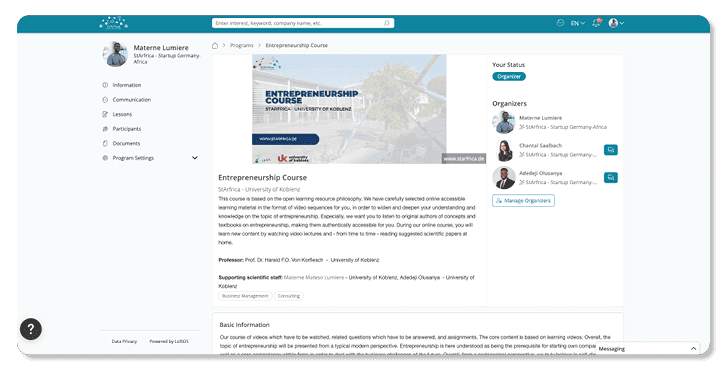
Die Wahl der richtigen Accelerator-Software entscheidet darüber, wie gut du Bewerbungen gewinnst, Kohorten leitest und Wirkung erzeugst. Dieser Guide bringt schnelle Klarheit, vergleicht die wichtigsten Tools und zeigt, wo LoftOS ins Spiel kommt. Du erhältst einen Überblick über Kriterien, Preisgestaltung und echte Anwendungsfälle. So kannst du dich am Ende dieses Artikels für eine Plattform entscheiden, die Bewerbungen, Mentoring und Ergebnisse sauber abbildet – ganz ohne Workarounds und Tool-Chaos.Das Wichtigste auf einen BlickDie beste Accelerator-Software bündelt Bewerbungen, Reviews, Mentoring, Events und Reporting an einem Ort – so vermeidest du manuelle Übergaben und Fehler.Setze auf eine starke UX für Admins und Gründer:innen, sonst bleibt die Nutzung aus. Achte auf einfache Einrichtung, rollenbasierte Zugriffe und flexible Workflows, die du auch während einer laufenden Kohorte anpassen kannst.Bestehe auf eine verlässliche Messung des Impacts: Verfolge Ziele, Meetings, Deals und Ergebnisse (inklusive exportierbarer Nachweise für Partner und Gremien).Wähle Plattformen, die sich gut in deinen Tech-Stack integrieren: SSO, CRM-Anbindung und Datenexporte sind Pflicht, ebenso wie Compliance- und Datenschutzfunktionen. LoftOS ist besonders stark, wenn du Programme, Community und Matchmaking auf einer Plattform vereinen willst.1. LoftOS: Beste Software für Accelerator-ManagementMit LoftOS steuerst du dein gesamtes Programm an einem Ort, ohne ständig zwischen Formularen, E-Mails und Tabellen hin- und herzuspringen. Es ist eine praxisnahe Lösung für Programm-Admins und nicht einfach nur ein weiteres Portal für Gründer:innen.Stell dir vor: Ein Mentor sagt kurzfristig ab, eine Jury braucht ein neues Bewertungsschema oder ein Partner möchte andere Auswertungen sehen. Du solltest dafür nicht dein ganzes System umbauen müssen. Mit LoftOS passt du Bewerbungsprozesse flexibel an, änderst Bewertungslogiken, verwaltest Startup-Phasen und behältst dabei eine lückenlose Historie. Dein Team konzentriert sich auf Menschen, nicht auf das Flicken von Tools.Und so sieht das in der Praxis aus: Bewerbungen werden effizient vorsortiert. Reviews laufen über strukturierte Bewertungssysteme. Matchmaking führt zu echten Meetings. Events funktionieren mit Ticketing und Check-ins ohne Chaos. Und nach dem Demo Day behältst du Fortschritte und Impact weiterhin in Echtzeit im Blick – inklusive Reporting für Partner und Entscheider.Ein Workspace, weniger Übergaben, geringeres Risiko.Key FeaturesBewerbungsmanagement mit Kanban-Pipelines und flexiblen WorkflowsReviews und Bewertungen mit strukturierten Formularen, Dateiuploads und nachvollziehbarer HistorieAnpassbare Datenbanken für Startups, Mentor:innen, Sessions, Aufgaben und ErgebnisseFlexible Organisations- und Mitgliederverzeichnisse mit Rollen, Tags und BerechtigungenEvent-Management mit Ticketing, Sessions, Check-ins und TeilnehmertrackingSchnelles Networking und intelligentes Matchmaking für relevante MeetingsEchtzeit-Tracking von Fortschritten über Kohorten und Stakeholder hinwegDokumentenmanagement für Einreichungen, Verträge und ReportsSSO, Rollenverwaltung und Membership-Tiers für sichere Zugriffe und klare GovernancePreisgestaltungEin Accelerator-Programm bedeutet immer, Wachstum, Struktur und Kosten im Gleichgewicht zu halten. Du brauchst Software, die zuverlässig ist, dein Budget nicht sprengt und gleichzeitig mit deinem Netzwerk mitwächst. LoftOS setzt auf ein transparentes Preismodell mit viel Flexibilität – so kannst du schlank starten und bei Bedarf skalieren.LoftOS PreispläneFree: Bis zu 5 Nutzer, Funktionen testen – komplett risikofreiStarter (25 €/Monat): 25 Nutzer, E-Mail-Support, Ticket- & Helpdesk-ZugangTeam (299 €/Monat): 250 Nutzer, Onboarding mit Customer Success Manager, eigene DomainProfessional (799 €/Monat): 1.000 Nutzer, Analytics, Exporte, Rollen & PaketeEnterprise (Preis auf Anfrage): 5.000 Nutzer, vollständiges White-Label-Setup, Customer Success ServicesEgal, ob du deine erste Kohorte testest oder ein ganzes Programmnetzwerk betreibst: LoftOS hält die Preise übersichtlich und dein Wachstum planbar – mit Enterprise-Funktionen, aber ohne unnötige Komplexität.Wo LoftOS glänztLoftOS reduziert den administrativen Aufwand, indem es Programm-Management, Community und Events an einem Ort zusammenführt. So kommt dein Team schneller ins Setup und hat mehr Zeit für die Arbeit mit Gründer:innen.Wiederverwendbare Bausteine und Templates beschleunigen den Aufbau neuer KohortenEine intuitive Admin-UX gibt auch weniger technik-affinen Teams Sicherheit im ArbeitsalltagEvent-Ticketing und Check-ins vor Ort vereinfachen die Organisation großer VeranstaltungenNetworking und Mentor-Matching sorgen für qualitativ bessere Meetings und ErgebnisseImpact-Daten sind direkt exportierbar für Partner und EntscheidungsgremienWo LoftOS an Grenzen stößtLoftOS konzentriert sich klar auf Programm-Management und weniger auf tiefergehende Lerninhalte oder komplexe Finanzprozesse. Gegebenenfalls kannst du es sinnvoll mit spezialisierten Tools ergänzen.Kein vollwertiges Learning-Management-System für anspruchsvolle CurriculaUmfangreiche Fördermittel- oder Zahlungsprozesse benötigen ggf. zusätzliche FinanzsoftwareDer breite Funktionsumfang kann für neue Admins eine Einarbeitungszeit erfordernKundenstimmen„Die Flexibilität und Anpassungsfähigkeit der Plattform. Die schnelle Reaktionszeit unseres CSM [sensible Inhalt verborgen]. Dass wir unsere eigenen Module und Programme – und mittlerweile sogar eigene Kategorien-Bäume – erstellen können.” - Capterra Review“Ich liebe die Möglichkeit, Funktionen einfach anzupassen und die Offenheit der Plattform, um sie auf den eigenen Anwendungsfall zuzuschneiden. Das Unternehmen kümmert sich um seine Kunden und hört auf neue Ideen oder Anforderungen, die zukünftig umgesetzt werden. Sollte es einen Bug geben, repariert das Team ihn schnell. ” - Capterra ReviewFür wen LoftOS am besten geeignet istLoftOS passt besonders gut zu Organisationen, die mehrere Kohorten oder ganzjährige Communities betreiben und eine zentrale Plattform suchen, um Bewerbungen, Mentoring, Events und Ergebnisse übersichtlich zu steuern.Programme des öffentlichen Sektors, Hochschulen und Verbände mit vielen StakeholdernInnovationsteams in Unternehmen und Corporate Venture Units mit portfolioähnlichen ProgrammenEcosystem Builder, die Event Management, Networking und messbaren Impact kombinieren wollen2. Babele — Am besten für Accelerators und Inkubatoren, die auf Lehrplänen basierenBabele legt den Fokus auf Lernen, Mentoring und Community – eingebettet in Bewerbungs- und Auswahlprozesse. Die Plattform unterstützt dich dabei, Gründer:innen durch strukturierte Tutorials und Aufgaben zu führen und gleichzeitig Mentor:innen aktiv einzubinden. Besonders sinnvoll ist Babele, wenn Lerninhalte und Wissensaustausch im Zentrum deines Programms stehen und alle Updates an einem Ort gebündelt werden sollen.Key FeaturesApplication Funnel: Mehrstufige Auswahl mit Reviewer-Scoring für Accelerator-BewerbungenLearning Management: Tutorials, Aufgaben und Vorlagen für einen geführten Pfad, direkt in ein Learning Management System integriertMentor:innen-Matching: Vernetze Expert:innen gezielt mit spezifischen Anfragen und Herausforderungen deiner Teams und tracke die SessionsCommunity Hub: Updates, Posts und Diskussionen halten alle Teilnehmenden immer auf dem LaufendenRepository: Ein Startup-CRM mit Profilen, Notizen und integrierter DokumentenverwaltungProgress Tracking: Behalte KPIs und Aktivitätsprotokolle über alle Ventures hinweg im BlickPreisgestaltungDie Preisgestaltung ist nicht öffentlich gelistet und erfolgt über den Vertrieb nach einer Demo-Anfrage. Laut Anbieter ist ein Setup innerhalb eines Tages möglich.Wo Babele glänztCurriculum im Fokus: Ideal für Programme mit Tutorials, Aufgaben und klaren LernpfadenMentor:innen gezielt einsetzen: Matching basierend auf konkreten Bedarfen, inklusive ErfolgstrackingCommunity Engagement: Kommunikation und Updates an einem zentralen Ort ohne E-Mail-ChaosWo Babele an Grenzen stößtKomplexe Reviews: Tiefergehende Bewertungslogiken und Anpassungen während laufender Programme sind eingeschränktEvent-Management: Funktionen wie Ticketing oder Check-ins vor Ort stehen nicht im VordergrundKundenstimmen“Es ist visuell ansprechend und macht Spaß in der Nutzung. Die Software ist gut gestaltet, führt dich durch die Prozesse und bietet eine solide Grundlage, um andere einzubinden. Auch aus Sicht eines Online-Mentors ist es ein einfacher Zugang zu den relevanten Daten – das Tool hilft dabei, Prioritäten zu setzen.” – Capterra Review"Wir haben es in unserem Social-Enterprise-Modul und bei einem internationalen Wettbewerb (UKISIC) eingesetzt." – Capterra ReviewFür wen Babele am besten geeignet istProgramme, die strukturiertes Lernen mit Community und integriertem Mentoring kombinieren wollen.Universitäre Inkubatoren: Kursähnliche Kohorten, die mit festen Vorlagen und Deliverables arbeitenImpact Hubs und NGOs: Wissensaustausch mit Expert:innen über verschiedene Regionen hinwegCorporate Intrapreneurship: Playbooks und strukturierte Programme für interne Innovationsprojekte3. Skipso — Am besten für Enterprise-Innovation und Open CallsSkipso unterstützt dich dabei, Open Calls, Förderprogramme und Ideenpipelines über große Netzwerke hinweg zu steuern. Die Plattform vereint Sourcing, Bewertung, Zusammenarbeit und Ökosystem-Verzeichnisse in einem zentralen Workspace. Ideal ist Skipso, wenn du strukturierte Einreichungen, Partnerportale und Reporting brauchst, das Initiativen vom ersten Konzept bis zum messbaren Impact begleitet.Key FeaturesOpen Calls: Konfigurierbare Einreichungs- und Bewertungsprozesse für Challenges und Förderprogramme im Open-Innovation-KontextPipelines: Verfolge Ideen und Projekte entlang standardisierter ProzesseStakeholder-Portale: Eigene Bereiche für Juror:innen, Mentor:innen, Partner und TeamsÖkosystem-Module: Zentrale Verwaltung von Personen, Inhalten und Kollaboration über Netzwerke hinwegImpact Measurement: Tracking von Fortschritten und Ergebnissen für Partner und FördergeberPreisgestaltungSkipso bietet strukturierte Preispläne, die sich an Accelerators, Inkubatoren und Innovationsprogramme richten, die Bewerbungen, Bewertungen und Zusammenarbeit skalieren wollen. Die Pakete wachsen mit deinen Anforderungen – von kleinen Kohorten bis hin zu komplexen Enterprise-Umgebungen mit mehreren Programmen.Essential: Bis zu 1.000 Bewerbungen pro Programm, 1 Programm pro Jahr, unbegrenzte Admin- und Jury-Nutzer:innen. Inklusive Form Builder, Scorecards, Portfolio-Verzeichnis, Kanban-Pipeline und Task-TrackingEnhanced: Bis zu 5.000 Bewerbungen, 1–2 Programme pro Jahr, plus ein zusätzlicher benutzerdefinierter Nutzertyp. Enthält Zahlungsintegration (Stripe), Kollaborationstools und erweitertes TrackingEnterprise: Für große Netzwerke mit mehreren Programmen. Unbegrenzte Bewerbungen, komplexe Bewertungslogiken, Multi-Tenant-Setups und flexible RollenmodelleDie konkreten Preise sind nur auf Anfrage im Rahmen einer Demo verfügbar.Wo Skipso glänztSkalierung & Governance: Entwickelt für Konzerne, öffentliche Institutionen und staatliche ProgrammeKlare Prozesse: Strukturierte Einreichungen und Bewertungen über mehrere Initiativen hinwegPartnernetzwerke: Portale zur Koordination externer Partner und Business-Development-AktivitätenWo Skipso an Grenzen stößtAccelerator-Alltag: Funktionen wie Mentor-Buchung oder typische Kohorten-Abläufe erfordern ggf. WorkaroundsEvent Management: Ticketing und Check-in-Prozesse stehen nicht im FokusKundenstimmen“Wir haben viel individuellen Support vom Team erhalten, was es uns ermöglichte, ein B2B-Innovations-Matching-System für unsere KMU-Kund:innen aufzubauen. Die schlanke Benutzeroberfläche und die Bereitstellung als Service machen die Verwaltung relativ einfach – selbst im Kontext großer, schwerfälliger IT-Abteilungen wie der unseren.” – Capterra Review“Der Kundenservice von Skipso ist einfach galaktisch. Die Plattform bietet mehr Funktionen, als wir bisher nutzen konnten, aber unser Pilotprogramm war ein riesiger Erfolg. Die Möglichkeit, Funktionen und Privatsphäre-Einstellungen individuell anzupassen, war angesichts unserer speziellen Zielgruppe essenziell.” – Capterra ReviewFür wen Skipso am besten geeignet istOrganisationen, die komplexe Innovationsportfolios und öffentliche Challenges managen.Behörden und öffentliche Einrichtungen: Förderprogramme und nationale InnovationswettbewerbeUnternehmen: Innovationsinitiativen über mehrere Abteilungen hinweg mit PartnerintegrationBranchennetzwerke: Multi-Stakeholder-Ökosysteme mit hohen Anforderungen an Steuerung und Governance4. AcceleratorApp — Am besten für klassische Accelerator-Abläufe mit starkem SchedulingAcceleratorApp bündelt Bewerbungen, Reviews, Mentoring, Aufgaben und die gesamte Kommunikation in einem einzigen Tool. Der Fokus liegt hier ganz klar auf der Terminplanung, dem Tracking von Deliverables und einem starken mehrsprachigen Support. Nutze es, wenn du ein unkompliziertes Cockpit von der Aufnahme bis zum Demo Day suchst, ohne dass du verschiedene Apps mühsam zusammenflicken musst.Key FeaturesBewerbungen: Anpassbare Bewerbungsrunden und strukturierte Review-ProzesseScheduling: Terminbuchung für Mentor:innen und Expert:innen mit Kalender-Sync für eine bessere User ExperienceTasks und Deliverables: Intelligente Aufgabenlisten, direkt mit Startups verknüpft, reduziert NachverfolgungKommunikationsübersicht: E-Mails und Gespräche bleiben nachvollziehbar im KontextMehrsprachigkeit: Interfaces für internationale Kohorten und grenzüberschreitende ProgrammeWorkflow-Steuerung: Anpassbare Bewerbungsprozesse, die sich mit deinem Programm weiterentwickelnPreisgestaltungAcceleratorApp ist speziell auf Accelerator und Inkubatoren zugeschnitten und bietet skalierbare Pläne für Programme jeder Größe – von frühen Initiativen bis hin zu großen Innovationshubs.Starter – Für kleine Organisationen mit wenigen Startups; bis zu 100 Bewerbungen, 12 Startups und 2 ProgrammeStarter+ – Für wachsende Accelerators; unbegrenzte Bewerbungen, 46 Startups, 5 Programme sowie Onboarding und monatliche Supportstunden.Essential – Für mittelgroße Programme mit mehreren Cohorts; unbegrenzte Startups und Programme plus erweiterten Support.Premium – Mit White-Label-URL, individuellen Landingpages sowie mehr Onboarding- und SupportkapazitätEnterprise – Für große Netzwerke; inklusive SLA-Garantie, 99,5 % Verfügbarkeit und erweitertem SupportKonkrete Preise erhältst du über ein Sales-Gespräch.Wo AcceleratorApp glänztStarkes Scheduling: Integrierte Terminplanung für Mentoring und SessionsKlare Abläufe: Aufgabenmanagement und zentrale Kommunikation reduzieren manuellen AufwandInternational einsetzbar: Mehrsprachige Oberfläche für globale ProgrammeWo AcceleratorApp an Grenzen stößtEvent Management: Ticketing und Check-in vor Ort sind nur eingeschränkt abgedecktLernmodule: Vorhanden, aber Tiefe sollte vorab geprüft werdenFür wen AcceleratorApp am besten geeignet istTeams, die ein speziell entwickeltes Steuerungs-Tool für den operativen Accelerator-Alltag suchen.Regionale Accelerators: Wiederkehrende Bewerbungszyklen und MentorenprogrammeUniversitäre Programme: Strukturierte Betreuung mit hohem Bedarf an TerminplanungCorporate Inkubatoren: Klare Aufgaben- und Deliverable-Strukturen über mehrere Startups hinweg5. Submittable — Am besten für Förderprogramme und öffentliche Open CallsSubmittable konzentriert sich auf das durchgängige Management des gesamten Förderzyklus. Die Plattform kombiniert flexible Formulare, mehrstufige Prozesse, Identitätsprüfungen, Budget-Tracking und Monitoring nach der Förderung. So bekommst du Struktur, Compliance und eine lückenlose Dokumentation – ganz ohne Excel-Chaos. Wenn dein Accelerator vorwiegend mit Fördergeldern arbeitet oder eng mit Behörden und Stiftungen kooperiert, deckt Submittable Bewerbungen, Bewertungen und Kontrolle zuverlässig ab.Key FeaturesFormulare: Komplexe Bewerbungslogiken mit Bedingungen und VerzweigungenReviews: Mehrstufiges Scoring und automatisches Routing, die manuelle Prüfschritte deutlich reduzieren.Compliance: Identitätsverifizierung und Audit-Logs für höchste RevisionssicherheitPost-Award: Meilenstein-Tracking, Zahlungsüberblick und Reporting nach FörderzusageBudgets: Echtzeit-Budgetübersicht mit Exportfunktionen für Stakeholder und Impact-ReportingRecords: Zentrale Ablage von Dateien und Notizen für sauberes DokumentenmanagementPreisgestaltungVertriebsbasiertes Preismodell, Preispläne sind nicht öffentlich verfügbar. In der Regel werden Anforderungen und Volumen im Vorfeld definiert, bevor ein individuelles Angebot erstellt wird.Wo Submittable glänztSubmittable bringt Struktur und Kontrolle in komplexe, regulierte Programme.Ganzheitlicher Lifecycle: Von Bewerbung bis Reporting – inklusive GovernanceSkalierbare Reviews: Geeignet für große Mengen und mehrstufige BewertungsprozesseBudgettransparenz: Integrierte Finanzübersicht für Fördergeber und PrüferWo Submittable an Grenzen stößtDie Plattform ist für Fördergelder optimiert, nicht für den klassischen Accelerator-Rhythmus.Mentoring & Networking: Nur begrenzte Tools für Matchmaking und SessionsEvent Management: Ticketing und Vor-Ort-Check-ins gehören nicht zum Kern-WorkflowKundenstimmen“Das Tool hat mir als Hauptnutzer die Sicherheit gegeben, Bewerbungen flexibel anzupassen oder zu erweitern – zum Beispiel nach Ablauf der Frist erneut zu öffnen oder zusätzliche Formulare für weitere Informationen zu erstellen.“ – Capterra Review“Die Bewerbungsformulare von Submittable sind sehr flexibel und ermöglichen mehrstufige Prozesse sowie die Einreichung von Förderberichten.“ – Capterra ReviewFür wen Submittable am besten geeignet istBehörden und Stiftungen: Förderprogramme mit hohen Compliance-AnforderungenUniversitäten & NGOs: Stipendien und Förderzyklen mit klarer KontrolleCorporate CSR: Groß angelegte Förderprogramme mit Reporting-Bedarf6. Untap — Am besten für Wettbewerbe, Awards und HackathonsUntap optimiert Wettbewerbe mit mehrstufigen Einreichungen, Juror:innen-Zuweisungen, Erinnerungen und Leaderboards. Die Plattform ist schnell einsatzbereit, einfach zu administrieren und bietet transparente Limits sowie Rollensteuerung. Wenn dein Programm auf Challenges, Awards oder kurze Sprints setzt, übernimmt Untap die Logistik sauber – von der Ausschreibung bis zur finalen Rangliste.Key FeaturesTracks und Runden: Mehrere Pfade für Bewerbungen und Bewertungen konfigurierenJudging: Rankings für Pitch-Wettbewerbe erstellen und veröffentlichenDashboards: Status einsehen, Erinnerungen verschicken und unabgeschlossene Einreichungen verwaltenCloning: Programme duplizieren und Einstellungen für neue Kohorte wiederverwendenExporte: Einreichungen und Scores für Analyse und Follow-ups exportierenPreisgestaltungUntap bietet strukturierte Preispläne, die sich nach dem gewünschten Support-Level richten – nicht nach Feature- oder Einreichungslimits. Alle Pläne enthalten unbegrenzte Einreichungen, Programme, Teilnehmer, Juror:innen und Admins sowie vollen Zugang zu allen Software-Funktionen.Starter – 250 $/Monat: Der Self-Service-Einstiegsplan. Enthält unbegrenzte Programme und Teilnehmer:innen, alle Software-Funktionen, mehrsprachigen Support, E-Mail-Support und eine Live-Training-Session pro Monat.Growth – 900 $/Monat: Ergänzt durch persönliche Unterstützung beim Programmstart – eine Setup-Session pro Monat, bei der das Untap-Team die Konfiguration übernimmt, ein individuelles Design pro Monat sowie drei Training-Sessions pro Monat inklusive Pre-Launch- und Mid-Program-Checks.Ultimate – 2.500 $/Monat: Für Organisationen mit mehreren großen Programmen gleichzeitig. Enthält drei Setup-Sessions und drei individuelle Designs pro Monat, Custom Domains, Prioritäts-Support per E-Mail und Telefon, einen dedizierten Account Manager und quartalsweise Business Reviews.Enterprise (Preis auf Anfrage): Ergänzt durch vollständiges White-Label, individuelle SLA-Vereinbarungen, API-Zugang, SSO, erweiterte Sicherheitsfunktionen sowie unbegrenzte Setup-, Design- und Training-Sessions mit einem dedizierten Implementierungs- und Technik-Team.Die Preisstruktur hilft Accelerators, Bewerbungen zu verwalten, Bewertungen zu vereinfachen und Mentoren effektiv einzubinden – bei vorhersehbaren Kosten, die mit dem Programm wachsen.Wo Untap glänztKomplett auf Challenge-Formate ausgelegt.Schneller Start: Dank Vorlagen und Cloning-Funktion ist das Setup in kürzester Zeit erledigtBewertung in großem Maßstab: Einfache Zuweisung und Scoring für viele Reviewer:innenOperative Klarheit: Übersichtliche Dashboards und klare Limits sorgen für OrdnungWo Untap an Grenzen stößtDer Fokus liegt auf Wettbewerben, nicht auf dem kompletten Accelerator-Betrieb.Mentor:innen-Workflows: Nur eingeschränkte Unterstützung für langfristiges Mentoring und CoachingEvents & Community: Für Ticketing und ganzjähriges Engagement sind meist separate Tools nötigKundenstimmen“1. Die Kommunikation war sehr reibungslos. 2. Die Plattform hatte keine Ausfälle während der Nutzung. 3. Einfache und benutzerfreundliche Oberfläche. 4. Das Team ist super reaktionsschnell und jederzeit verfügbar. Insgesamt haben wir eine großartige Erfahrung mit Untap gemacht.“ – Capterra Review„Untap Compete hat uns stark geholfen, 3.500+ Kandidaten durch mehr als vier Phasen zu filtern. Alle Details und Feedback auf einem Portal zu haben war extrem wichtig, dazu noch der 24/7-Support.“ – Capterra ReviewFür wen Untap am besten geeignet istInnovationsteams: Kurze Challenges und Award-ZyklenUniversitäten: Hackathons und Studierenden-WettbewerbeÖffentliche Programme: Open Calls mit transparentem Bewertungsprozess7. Disco — Am besten für kohortenbasiertes Lernen innerhalb von ProgrammenDisco konzentriert sich auf Live-Sessions, strukturierte Lernpfade und Community-Räume, die facilitator-geführtes Lernen unterstützen. Es eignet sich besonders, wenn dein Accelerator stark curriculum-getrieben ist und du Workshops, Aufgaben und Diskussionen parallel zu Events verwalten willst. So kannst du Training liefern und gleichzeitig Kohorte aktiv halten.Key FeaturesLive Learning: Workshops mit Chat und Aufzeichnungen für kohortenbasierte KurseLearning Paths: Module und Aufgaben zu personalisierten Lernpfaden organisierenSpaces & Chat: Community-Bereiche für Peer-Diskussionen und UpdatesEvents: Plane Sessions und verwalte RSVPs; inklusive Light TicketingContent: Seiten, Dateien und Quizzes für ein schlankes Learning-Management-SystemPreisgestaltungDisco unterstützt kleine bis mittelgroße Accelerators dabei, Communities und Lernprogramme effizient zu managen. Die Preise sind einfach gehalten, skalieren aber bei Bedarf für größere Kohorten.Disco-PreispläneOrganization – 399 $/Monat: Starte eine vollständig gebrandete Lernakademie für bis zu 500 Mitglieder. Enthält unbegrenzte Lernprodukte, KI-Tools für Mitglieder und Admins, die Möglichkeit, kostenpflichtige Kurse und Community-Events anzubieten, sowie Onboarding-Sessions und wöchentliche Office Hours.Enterprise (Preis auf Anfrage): Skaliere auf 100.000+ Mitglieder mit einer individuell gebrandeten mobilen App (auf Anfrage), API- und Webhooks-Zugang, SAML SSO, einem dedizierten Customer Success Manager sowie personalisiertem Migrations- und Onboarding-Support.Disco bietet Organisationen solide Funktionen ohne komplexe Anpassungen – ideal, um Teilnehmer und Inhalte unkompliziert zu verwalten.Wo Disco glänztStark in der Wissensvermittlung innerhalb einer Community.Facilitator-Tools: Leite Live-Kohorten mit Aufgaben und klaren LernpfadenNutzer:innen-Erlebnis: Sauberes Interface für Lernende und Mentor:innenEngagement: Spaces und Chats halten die Kohorte auch zwischen den Sessions aktivWo Disco an Grenzen stößtNicht für komplexe Auswahlprozesse oder tiefe Mentoring-Logistik gebaut.Bewerbungen & Reviews: Mehrstufige Pipelines und tiefgehendes Scoring begrenztProgram Governance: Rollen, Verzeichnisse und Reporting benötigen ggf. zusätzliche ToolsKundenstimmen„Disco ist unglaublich einfach zu bedienen und hat unsere Trainingslieferung transformiert. Der Support ist erstklassig – schnelle Hilfe trotz Zeitunterschieden." – G2 Review„Eine sehr benutzerfreundliche Plattform mit hilfreichem AI-Chat und Integrationen wie Zoom und Slack. Automatisierungen haben unseren manuellen Aufwand drastisch reduziert.“ – G2 ReviewFür wen Disco am besten geeignet istUniversitäre Accelerators: Kohorten nach LehrplanCorporate Academies: Upskilling gekoppelt an Venture-BuildingFounder Schools: Coaching-Programme mit strukturierten Lektionen8. Circle — Am besten für das ganzjährige Community-Management rund um deinen AcceleratorCircle vereint Foren, Chat, Live-Events und kostenpflichtige Kurse in einem zentralen, ansprechenden Hub. Die Plattform ist ideal, wenn dein Accelerator laufende Community-Bindung braucht – mit Mitgliederbereichen, Ankündigungen und Webinaren – ganz ohne zusätzliche Plugins. Nutze Circle, um Gespräche zu hosten, Updates zu veröffentlichen und kleine Events für Alumni oder Partner zu organisieren.Key FeaturesSpaces & Struktur: Organisiere Kohorten und Themen für aktives Community-EngagementEvents: Webinare und Workshops mit RSVP-Funktion hostenKurse & Paywalls: Premium-Inhalte neben kostenlosen Bereichen anbietenMobile Apps: Gebrandete iOS- und Android-ErlebnisseAutomatisierung: Moderationsregeln und Workflows halten die Community sauberPreisgestaltungCircle passt gut zu Accelerators, die Flexibilität brauchen, während ihre Kohorten wachsen. Die Plattform kombiniert Community-Spaces, Live-Video und Automatisierung – für kleine Teams ebenso geeignet wie für große Programme.Professional – 89 $/Monat: Kernfunktionen für den Community-Aufbau: unbegrenzte Mitglieder, Kurse, Diskussionen, Events, Live-Streams, Live-Rooms, ein Website-Builder, kostenpflichtige Mitgliedschaften, Gamification, Custom Domain sowie Reporting und Analytics.Business – 199 $/Monat (beliebt): Ergänzt durch automatisierte Workflows, individuelle Profilfelder, Headless Member API und Admin API, gebrandete E-Mail-Benachrichtigungen, einen KI-Content-Writer, automatische Transkriptionen und Activity Scores für erweiterte Anpassungen.Circle Plus (Preis auf Anfrage): Für große Accelerator-Netzwerke. Enthält KI-Agenten und KI-Workflows, Custom Single Sign-On, die höchsten Plattformlimits, erweiterte Analysen, technischen Prioritätssupport, Concierge-Onboarding und einen dedizierten Customer Success Manager. Gebrandete iOS- und Android-Apps sind als optionales Add-on in diesem Tier verfügbar.Hinweis: Circle erhebt Transaktionsgebühren auf über die Plattform abgewickelte Zahlungen – 2 % beim Professional-Plan, 1 % beim Business-Plan und 0,5 % bei Circle Plus.Die Circle-Pläne geben dir die Tools, um Programme strukturiert zu betreiben, Inhalte zu monetarisieren und Engagement zu steuern.Wo Circle glänztCommunity steht im Mittelpunkt.Intuitive UX: Mitglieder finden sich leicht zurecht und beteiligen sich aktivAlles-in-einem Hub: Diskussionen, Events und Kurse an einem OrtAlumni-Fokus: Ideal für kontinuierliche Updates und Showcase-MöglichkeitenWo Circle an Grenzen stößtBewerbungen & Reviews: Keine tiefergehenden mehrstufigen Workflows oder ScoringMentor:innen-Operations: Buchung und Matchmaking eingeschränkt im Vergleich zu vollständigen Programm-SuitenKundenstimmen„Es ist wirklich einfach zu bedienen und bietet haufenweise exzellente Funktionen. Auch wenn es für ein Startup anfangs etwas teuer wirken mag, ist das Preis-Leistungs-Verhältnis großartig – vor allem durch die Tools, mit denen man durch die Community schnell Einnahmen generieren kann.“ – Capterra Review„Ich liebe das wunderschöne Interface dieser Software. Die UX ist intuitiv und wird jedes Jahr spürbar verbessert.“ – Capterra ReviewFür wen Circle am besten geeignet istAccelerators mit Alumni-Netzwerken: Ganzjährige Community-BindungCreator- und Coaching-Programme: Kostenpflichtige Tracks mit EventsEcosystem-Gruppen: Partner-Updates und Showcase-MöglichkeitenSo wählst du die richtige Accelerator-Software ausWähle Tools, die den Alltag der Admins wirklich erleichtern. Du brauchst flexible Workflows, klare Übersicht und verlässliche Ergebnisse – nicht nur hübsche Dashboards oder einmalige Formulare, die mitten in der Kohorte versagen.1) Bewerbungsmanagement und ReviewsStarte mit starkem Bewerbungsmanagement. Dein Team braucht Pipelines, die Stufen abbilden, editierbare Workflows und verlässliches Dokumentenmanagement. Reviews sollten rollenbasiert, strukturiert und auditierbar sein.Must have: Kanban-Pipelines, anpassbare Formulare, Bulk-Aktionen, Datei-HandlingNice to have: Rubric-Bibliotheken, Reviewer-Zuweisungen, zeitlich begrenzte BewertungsfensterRed flags: Starre Abläufe, versteckte Exporte, manuelle Reviews außerhalb des Systems2) Cohort-Engagement, Events und NetworkingDu wirst Sessions, Ticketing, Check-ins und Mentoring gleichzeitig managen. Achte auf saubere Admin-UX, Zeitpläne, Anwesenheitskontrolle und echtes Matchmaking und nicht nur auf den Chat.Must have: Event-Setup, Ticketing, Check-in vor Ort, Verzeichnisse, Mentor:innen-MatchingNice to have: Automatische Erinnerungen, Session-Feedback, Notizen zu ProfilenTie-in: Plane sinnvolle Sessions mit bewährten Community-Aktivitäten und baue einen ganzjährigen Hub auf3) Wirkungsnachweis, Sicherheit und SupportSponsor:innen erwarten Belege. Verfolge Meetings, Meilensteine und Ergebnisse mit einer Wirkungsmessung und Fortschrittstracking in Echtzeit, das du exportieren kannst. Achte auf sicheren Zugriff und schnellen Support.Must have: SSO, Rollen und Berechtigungen, exportierbare Berichte und ein reaktionsschneller KundenserviceNice-to-have: API- oder CSV-Syncs, Einwilligungskontrollen und präsentationsreife Zusammenfassungen.Red flags: Vanity Metrics ohne Nachweis, langsamer Support, unzugängliche DatenBeschleunige deine Startup-Programme mit LoftOSWenn du eine verlässliche Accelerator-Software suchst, die Bewerbungen vereinfacht und Ergebnisse mit klarer Impact-Messung nachweist, ist LoftOS die praktische Wahl. „Verlässlich“ bedeutet: Formulare brechen nie mitten im Review, Ticketing scannt schnell, Berechtigungen halten Juror:innen ehrlich, und ein Audit-Trail bleibt nachvollziehbar. „Ergebnisse“ bedeutet: Sponsorenfertige Belege, erfasste Deals, geschaffene Jobs und Partnerschaften, die du vorzeigen kannst.Wirf einen Blick in unsere Produktübersicht und starte am besten direkt mit einem klar abgegrenzten Pilot: ein Live-Programm über 4 bis 6 Wochen, ein Intake-Prozess, dazu Matchmaking und Events – und am Ende ein fertiger Report, den du direkt deinem Vorstand vorlegen kannst. Wenn du deine Programme transparenter steuern und Ergebnisse sichtbar machen möchtest, dann probiere noch heute LoftOS aus!