
Blog & News
Best practices
Step-by-Step Guide on How to Create a Web Portal That Works in 2026
Creating a web portal today is no longer a project limited to developers or IT-heavy teams. Organizations of all sizes are under pressure to provide stakeholders with a central hub for resources, collaboration, and communication. The demand is clear: fast, simple, and flexible digital solutions.A no-code platform like LoftOS, for example, lets you design, launch, and manage portals without writing a single line of code. In this guide, you’ll learn what a web portal is, how it works, its key features, and the exact steps you can take to create one efficiently in 2026.By the end, you’ll be equipped with the knowledge to choose the right tools and avoid common pitfalls, while building a portal that delivers a seamless user experience and long-term value.Key TakeawaysBuild a web portal the smart way: pick a no-code platform, define your audience, then structure access with user roles and permissions.Nail usability early. Clear visual hierarchy, intuitive navigation bar, and a fast search box drive adoption.Ship value in weeks, not quarters. Start lean, then scale with reporting and analytics, integrations, and continuous iteration.Reduce risk with staged rollouts, internal testing, and a focus on real client experience.What Is a Web Portal?A web portal is a centralized online platform that brings together information, tools, and services in one accessible place. It acts as a secure entry point for users, providing personalized content, streamlined communication, and features tailored to specific needs such as knowledge sharing, networking, or resource management.How Exactly Does It Work?A web portal works by authenticating users, managing their access rights, and delivering content or tools based on their profiles. Features like a navigation bar, search box, and role-based user authentication ensure each visitor sees relevant information. Admins can organize resources, manage user groups, and monitor activity through reporting and analytics, while end-users benefit from a structured and intuitive user interface.Types of Web PortalsWeb portals serve different purposes depending on the audience and goals. Here are the most common types:Employee portals: Centralized access to internal documents, HR tools, and workflows.Customer portals: Secure spaces for clients to manage accounts, track orders, or request support.Client portals: Often used in professional services to share resources, project updates, and billing.Partner portals: Collaboration hubs for suppliers, resellers, or business partners.Knowledge portals: Organized libraries for sharing documents, training, and research.E-learning portals: Online platforms for courses, assessments, and certifications, similar to a learning management system. Take a look at our E-Learning Software template and get started for freeModern platforms like LoftOS are flexible enough to cover these scenarios, allowing organizations to consolidate needs into one digital space.Key Features of a Web PortalTo make a web portal effective, it should include core features that improve efficiency, security, and usability:Dashboard & reporting and analytics: Track performance, activity, and KPIs in one view.Search box & navigation bar: Ensure users can find resources quickly through intuitive menus and filters.Content management system: Create, edit, and organize pages without technical help.User authentication & user roles and permissions: Secure access with role-based controls and, where needed, single sign-on.Personalization & user experience: Adapt content and layout to each user’s needs, with a clear visual hierarchy.Task management tools: Streamline processes like approvals, submissions, or event registrations.Integration options: Support for file uploads, payment gateways, and connections to existing tools.Each of these features contributes to a portal that not only functions well but also scales with organizational needs, helping you grow your community effectively.Step-by-Step Guide to Creating a Web PortalBuilding a web portal is a structured process. Each step matters, from choosing the right technology to refining user access. Below are the first key stages that will help you set a strong foundation.Step #1: Choose Your Development ApproachThe first decision is whether to custom-build or use a no-code platform. Custom-builds are often expensive and time-consuming, while no-code tools are faster, more flexible, and require no IT department. LoftOS is a versatile solution that can serve as portal software among many other use cases, giving you the option to set up a secure client portal or even broader community features without technical effort. If your organization needs help comparing their options through, we recommend our web portal software guide, and afterward you can align your choice with a clear community strategy to ensure long-term success.Step #2: Define Purpose and AudienceBefore designing, clarify the goal of your web portal. Is it meant for employees, customers, or partners? Each audience has unique expectations. For example, a learning management system supports online training, while a client portal provides collaboration and document sharing. Identifying your primary audience early helps you avoid scope creep and ensures features match user needs. If you’re unsure how to align design with audience, a resource like this community website builder article shows how purpose-built portals can support different stakeholders effectively.Step #3: Plan Structure and RolesOnce the purpose is clear, define the portal’s structure. Create logical sections for knowledge, events, or workflows, and set user roles and permissions to control who sees what.LoftOS is strong here: Particularly for organizations planning long-term digital infrastructure or exploring how to build a digital platform, as it lets you organize user groups, tailor access by role, and even monetize memberships with tiered visibility. This flexibility makes your web portal secure, scalable, and sustainable. Step #4: Design the User ExperienceGood design boosts adoption, as explained in this practical community engagement plan.A well-designed web portal keeps users engaged and productive. Focus on creating a clear visual hierarchy, a consistent user interface, and an intuitive navigation bar. These elements make it easy for people to find what they need. A versatile tool like LoftOS supports flexible layouts and ensures the user experience feels smooth across different use cases. Step #5: Add Core Features and ToolsThe right mix of features ensures your portal is useful without being overloaded. Make sure you include essentials such as a search box, reporting and analytics, task management, and a simple content management system. Personalization options and secure user authentication also increase trust and usability.Step #6: Test and Optimize Before LaunchTesting is critical to delivering a reliable portal. Conduct internal testing to validate performance, check data flows, and review security. Implement single sign-on for smoother access, and verify integrations like payment gateways and File uploads. LoftOS provides flexible integration options that support these needs without extra development. To understand how testing fits within a broader digital build, see how to build a web app.Step #7: Launch and Continuously ImproveLaunching is only the beginning. Provide onboarding and clear customer support or customer service channels, so users adopt the portal confidently while also focusing on building a community around your product. Track engagement through reporting and analytics and improve over time, whether by refining features or modernizing workflows. LoftOS adapts easily, supporting ongoing software modernization without complex IT projects.Cost of Creating a Web PortalA web portal in 2026 typically costs between $5,000 and $150,000+, depending on scope and complexity. Small portals with limited roles and simple features sit at the lower end, while enterprise-grade portals with multiple integrations, advanced security, and large user bases fall into the higher ranges.Estimated Costs by Complexity:Basic portal: $5,000–$15,000 (few roles, simple design, limited features)Medium complexity: $15,000–$50,000 (custom UI, payment or file integrations, moderate traffic)Enterprise level: $50,000–$150,000+ (advanced security, SSO, multiple integrations, high scalability)Factors that affect cost:Features and functionality: advanced tools like reporting and analytics, task management, or SSO add complexity.Design and usability: custom layouts, visual hierarchy, and multi-device support.Team expertise: senior developers or specialized agencies drive costs up.Integrations: adding payment gateways, File uploads, or APIs.Testing and compliance: strong security, internal testing, and privacy requirements.Ongoing maintenance: hosting, updates, and continuous software modernization.Pro Tip: To reduce costs and time-to-launch without cutting quality, start with a much more affordable no-code solution like LoftOS. You’ll cover core needs (roles, permissions, analytics, integrations) while avoiding expensive custom builds and lengthy timelines.Common Challenges & How to Overcome ThemEven the best web portal projects can face obstacles. The key is to anticipate common issues and have clear strategies to address them. Here are four of the most important challenges, along with practical solutions.Challenge #1: Security & Data PrivacyUsers won’t trust a portal without strong safeguards. In today’s tech ecosystem, implementing robust user authentication, role-based access, and single sign-on is essential to protect data. A secure foundation also aligns with compliance needs across industries.Challenge #2: Scalability & PerformanceA portal that slows down or crashes under heavy use is a liability, as it can negatively affect community engagement metrics. Use internal testing and modular design to prepare for growth. Regular updates and ongoing software modernization keep performance stable. Challenge #3: User AdoptionEven feature-rich portals fail if people don’t use them. A seamless user experience, clear visual hierarchy, and simple onboarding can make adoption easier. Member engagement grows when users feel value quickly. Challenge #4: Integration ComplexityDisconnected systems waste time and frustrate users. Plan integrations carefully, focusing on essentials like reporting and analytics, task management, and third-party apps. Test connections before launch to avoid surprises. To see how integrated activities strengthen portals, review this piece on community engagement activities.Time Required to Build a Web PortalA full web portal in 2026 often takes 4 to 7 months from planning to launch, assuming a moderately complex scope. Simpler versions can roll out faster, but more advanced portals—with heavy integrations and security—can push this timeline further. Below are key factors that influence how long your project will take.Factors affecting timeline:Scope & Complexity: Number of features, workflows, custom modules.Design & UX: Custom layouts, responsive design, and user interface work.Integration Needs: External systems, APIs, third-party tools.Testing & QA: Internal testing cycles, performance, security checks.Team Capacity & Experience: How many people, skill levels, availability.Feedback & Iteration: Stakeholder reviews, revisions, delays in approvals.Estimated Time by Complexity:Basic portal: ~ 2 to 4 monthsMedium complexity: ~ 4 to 7 monthsEnterprise / Advanced: ~ 7 to 12+ monthsPro Tip: Use a modular, iterative approach. Launch a core version first, then expand features in phases. A tool built for flexibility, like LoftOS, can cut future cycles. Examples of Web PortalsWeb portals come in many shapes and sizes, tailored to the audiences they serve. Some focus on uniting regional ecosystems, while others act as hubs for research and learning. The following examples illustrate this variety. In these cases below, the organizations happened to build their solutions on LoftOS. Example #1: Niedersachsen.next (Innomatch)Niedersachsen.next built Innomatch as a regional web portal connecting startups, investors, and other stakeholders. The platform has grown into a full ecosystem, with thousands attending their events. By using LoftOS’ events modules and ticketing system, they segment participants efficiently and track results through reporting and analytics. Read the full Innomatch case study to see how they scaled their community.Example #2: RWTH Aachen University (Collaeb)RWTH Aachen University created Collaeb as a central hub for entrepreneurship. Their web portal unifies mentors, researchers, students, and partners in one space, offering courses, accelerator programs, and networking opportunities. LoftOS enables this single destination to manage content, foster collaboration, and grow participation. Explore the Collaeb case study for details on how the university built a thriving entrepreneurship program.Start Building Your Web Portal Today – No Coding RequiredCreating a web portal no longer needs to be a drawn-out or expensive process. With modern no-code platforms, you can launch faster, test ideas, and expand as your needs grow. LoftOS gives organizations the flexibility to configure portals for communities, education, or corporate use without relying on IT. Learn more on launching faster with LoftOS, explore the pros and cons of build vs. buy software, or get started directly at innoloft.com.

Best practices
What Is a Digital Platform Strategy? Importance & Implementation Guide
Most organizations struggle to scale digital initiatives without a clear plan. A digital platform strategy provides the roadmap. It defines how platforms are built, governed, and scaled to meet real business objectives. Without it, efforts remain fragmented, costly, and disconnected from user needs. In this guide, we cover everything from core definitions to practical steps, benefits, challenges, and proven best practices, giving you a complete framework to act with confidence.In this guide, we explain what it means, why it matters, and how to put it into practice step by step.Key TakeawaysA digital platform strategy ensures digital initiatives align with business goals and measurable outcomes.It connects critical elements, platform technologies, governance, and data, with user engagement to drive adoption.Following a step-by-step approach, organizations can move from defining goals to launching a minimum viable product, deploying governance, and scaling with confidence.Benefits include stronger engagement, economic impact, and sustainable growth across the platform ecosystem and broader platform economy.Challenges such as low adoption or weak measurement can be avoided with clear goals, analytics, and structured engagement activities.What Is a Digital Platform?A digital platform is a structured environment that connects users, data, and services in one place. It improves user experience by enabling interactions, transactions, and knowledge sharing. Examples include e-commerce platforms, enterprise platforms, and community hubs that drive collaboration and value exchange.What Is Digital Platform Strategy?A digital platform strategy is the structured plan that defines how platforms are created, managed, and expanded to support organizational goals. It aligns platform technologies, governance, and processes to deliver a clear value proposition. By doing so, it ensures platforms remain adaptable, scalable, and relevant in fast-moving markets.Components of a Digital Platform StrategyA strong strategy combines business direction with technical execution. It provides clarity for leaders, IT teams, and platform adopters, ensuring decisions improve both performance and sustainability. Once the execution side starts, our companion guide on how to build a custom web app shows the no-code stack and rework patterns most teams hit.Key components include:Vision and goals: Define outcomes the platform must achieve, such as growth or efficiency.Governance model: Roles, policies, and accountability frameworks for platform management.Technology infrastructure: Reliable platform ecosystem supported by integrations, APIs, and secure data handling. LoftOS provides adaptable building blocks like custom modules and matchmaking tools.User engagement: Focus on Digital Experience Platform design to create intuitive, accessible journeys.Data and analytics: Measure activity, performance, and impact for continuous improvement.Scalability and adaptability: Ensure the system can support more users, new services, or enterprise platforms without disruption.Step-by-Step Guide to Building a Platform StrategyA digital platform strategy is only useful if it can be put into practice. Here are five steps that show how to move from planning to measurable outcomes. Our companion guide on how to build a digital platform covers the execution side — modules, stack, and the no-code path from MVP to scale.Step 1: Define Objectives and Value PropositionStart by clarifying what the platform should achieve. A clear value proposition sets direction for your team and expectations for platform adopters. Objectives might include stronger community engagement strategies, faster knowledge sharing, or new revenue streams. Without defined goals, every other step risks falling short.Step 2: Map the Platform EcosystemIdentify who will use the platform and how they interact. A strong platform ecosystem connects members, partners, and stakeholders through an intuitive Digital Experience Platform. `For example, when outlining user groups, think of admins, contributors, and external partners. LoftOS provides building blocks like member directories and content spaces that simplify this mapping. See how community leaders succeed in building B2B communities.Step 3: Build a Minimum Viable ProductAvoid overengineering at the start. Launch a minimum viable product to test your assumptions with a smaller audience before scaling. In the platform economy, speed matters. LoftOS enables organizations to create prototypes with custom modules quickly, validating engagement before committing large budgets. Learn more from our guide on how to build community frameworks.Step 4: Deploy Technology and GovernanceExecution depends on the right platform technologies and governance model. Define rules for data use, privacy, and accountability. Modern enterprise platforms must balance security with usability. LoftOS simplifies deployment through drag‑and‑drop modules, integrated event tools, and secure data handling. Explore more in our article on managing technology ecosystems.Step 5: Scale and Optimize the StrategyOnce the foundation is stable, focus on growth. This includes expanding user groups, refining features, and aligning with broader organizational transformation goals. Tracking performance is essential to guide platform technology strategy and ensure results. With analytics and engagement features, LoftOS supports scaling digital communities without major IT effort.Benefits of Platform StrategiesA strong digital platform strategy brings measurable value to both organizations and users. Here are the main benefits:Improved User Engagement: A well-designed Digital Experience Platform ensures smoother interactions and long-term loyalty. This is the foundation of community-led growth, where engagement drives adoption.Economic and Operational Impact: By consolidating services into unified enterprise platforms, organizations save costs, reduce inefficiencies, and support digital business transformation without lengthy IT projects.Scalable Growth: With a clear framework, platforms can expand to new markets and audiences, strengthening the platform economy. Using analytics and feedback loops ensures decisions are data-driven and sustainable.Collaboration and Innovation: A healthy platform ecosystem encourages knowledge-sharing and partnerships, fostering innovation. Learn more about the tangible benefits of building online communities that generate long-term value.Together, these benefits make platform strategies a cornerstone of modern organizational growth.Common Challenges & How to Overcome ThemEven the best digital platform strategy will fail without anticipating obstacles. Here are five common challenges and how to address them.Challenge 1: Lack of Clear GoalsMany organizations jump into platforms without defined outcomes, which derail organizational transformation efforts. Without measurable objectives, success is impossible to track. Pro Tip: Always link goals to business outcomes and define key results upfront. This ensures your platform aligns with leadership priorities and avoids wasted resources.Challenge 2: Low User EngagementA platform without active users quickly becomes irrelevant. When platform adopters don’t participate, the Digital Experience Platform loses value. Engagement grows when admins design relevant spaces, useful content, and interactions that reward participation. A proven approach is implementing structured community engagement activities that encourage regular contributions and spark dialogue.Challenge 3: Data Silos and Poor MeasurementLeaders need evidence that platforms work. Without integrated analytics, insights stay locked in silos. Weak reporting undermines the platform technology strategy and leads to uninformed decisions. Pro Tip: Bake in analytics from the start. Tools that track member activity and outcomes make it easier to prove ROI. Explore how community engagement metrics reveal which actions truly drive results.Challenge 4: Resistance to AdoptionEven well-designed platforms face hesitation from staff and stakeholders. Some teams resist change because workflows feel disrupted. This slows growth of the platform ecosystem. Pro Tip: Start small with early adopters and champions who showcase benefits. Visible success stories build trust and encourage broader participation across the organization.Challenge 5: Overcomplex Technology ChoicesMany organizations overbuild, choosing heavy platform technologies or sprawling enterprise platforms that take months to implement. Complexity discourages users and stalls momentum. Pro Tip: Pick adaptable, modular tools that scale with needs rather than overwhelm teams. Lightweight solutions like LoftOS show how platforms can remain simple without sacrificing capability.By recognizing and tackling these issues early, organizations increase the odds of lasting success with their platform strategy.Best Practices for a Successful Digital Platform StrategyWhen readers scroll here, they expect clarity, not theory. These five best practices will give you a proven framework to make your digital platform strategy successful from day one.Practice 1: Define Goals and ObjectivesEvery platform fails without a clear destination. Before writing a single line of code, define outcomes that matter: revenue growth, higher engagement, or knowledge sharing. A precise value proposition ensures platform adopters understand why they should join. Tools matter here too. As explored in our best no-code app builder guide, platforms built with focus scale faster. Pro Tip: LoftOS stands out among no-code solutions for its speed, customization, and scalability, making it a reliable choice when clarity meets execution.Practice 2: Set Key Channels and RolesWithout structure, collaboration gets messy. Decide early which communication channels exist and who manages them. This turns your Digital Experience Platform into an organized space instead of a noisy forum. A good example is creating role-based hubs, similar to what’s explained in our resource on building community websites. LoftOS simplifies this by letting you design member areas with easy to use, flexible tools.Practice 3: Develop a Content StrategyContent keeps platforms alive. Without regular updates, even the strongest platform ecosystem goes silent. Map out an editorial plan that includes resources, events, and conversations that matter to your users. The community engagement plan outlines how consistent publishing sustains loyalty. On LoftOS, admins can automate updates and newsletters, so content strategy becomes manageable instead of overwhelming.Practice 4: Measure and IterateWhat isn’t measured can’t improve. Tracking data isn’t optional. It’s what separates growth from guesswork. A solid platform technology strategy includes KPIs that prove value to leadership and funders. For practical guidance, this community strategy shows you how iteration cycles turn insights into improvements. LoftOS dashboards make it easy to see what’s working and what isn’t, without extra analytics tools.Practice 5: Foster Continuous EngagementLaunching is only half the work. Sustaining momentum means ensuring platform adopters return, interact, and contribute regularly. This is how a thriving platform ecosystem forms. Engagement grows through events, groups, and networking opportunities. LoftOS comes with a wide array of features like matchmaking or speed networking to encourage members to stay active, making engagement a natural habit instead of a forced effort.By applying these practices, you give your platform not just a launchpad, but a long runway for success.Simplify Your Platform Strategy with No-Code Solutions from LoftOSRunning a digital platform strategy doesn’t need to be complex or time-consuming. With LoftOS, you get everything in one place: event management, member directories, databases, landing pages, chat, matchmaking, and networking tools.It’s flexible, customizable, and built for organizations that want results without technical barriers. Discover the full LoftOS product overview, or explore how LoftOS makes strategy execution simple. The tools are ready, you just need to take the next step.

Best practices
Top 5 Matchmaking Tools & Software in 2026
Finding the right connections at events or within professional communities has never been harder. Manual outreach, endless spreadsheets, and one-size-fits-all networking rarely deliver results. The answer is matchmaking software — tools built to automate introductions and help people connect based on shared goals, interests, or business needs. In this article, we’ll break down the top 5 matchmaking software in 2026, compare their features and pricing, and show you how to choose the right platform for your organization.Key TakeawaysInnoloft: Best overall B2B matchmaking software for organizations that need an all-in-one platform with customizable matchmaking, event management, and community featuresb2match: Best for organizers who want AI-powered meeting recommendations and structured B2B matchmaking formats for trade fairs, expos, and hybrid events.Grip: Ideal for large-scale conferences needing advanced AI algorithms, automated scheduling, and real-time analytics to measure participant engagement and ROI.Brella: A strong choice for startup ecosystems and investor-focused events, offering AI matchmaking and sponsor engagement features tailored to accelerators and innovation hubs.SmartMatchApp: Affordable option for associations and membership organizations that need CRM-style matchmaking tools beyond events, with clear and flexible per-admin pricing.1. Innoloft’s LoftOS – Best Overall Matchmaking SoftwareLoftOS stands out as the most complete solution for organizations that need matchmaking at the core of their events. It combines precision matching with event management and engagement tools, making it suitable for both large conferences and smaller community-driven programs.Key FeaturesCustomizable Matchmaking: Define what makes a perfect match for your event. Use participant profiles, goals, and location data to set matching rules. Weight importance levels, enable automatic recalculations, and cross-sync with other databases for accurate and up-to-date pairings.Speed Dating & Meeting Scheduling: Move beyond passive networking. LoftOS offers structured speed-dating formats and built-in meeting scheduling, ensuring participants meet the right people at the right time. Attendees can register flexibly and organizers can track all sessions in one place.Event Module with Analytics: Host virtual, hybrid, or in-person events with full agenda customization, video integration, and live chats. Event analytics provide insight into engagement levels, popular sessions, and matchmaking outcomes, giving organizers measurable results.PricingLoftOS offers flexible plans for different team sizes and needs:LoftOS Free – For testing and learning about LoftOS. Includes 5 users, 2 admins, and unlimited visitors.LoftOS Starter ($29 per month) – For small user numbers and low support needs. Includes 25 users, 2 admins, and ticket & email support.LoftOS Team ($349 per month) – Base features for moderate user numbers. Includes 250 users, 3 admins, onboarding by a customer success manager, and a customizable domain.LoftOS Professional ($849 per month) – Advanced features for larger user numbers. Includes 1,000 users, 10 admins, 2 languages, analytics, and a commerce package.LoftOS Enterprise (pricing on request) – Expanded customer success and high user numbers. Includes custom users, unlimited admins, all features, and full white label.See the full plan breakdown on our pricing page.Where Innoloft ShinesAll-in-one platform: Combines matchmaking, events, and community features in one place.Ease of use: Admins can configure matchmaking rules and event workflows without IT support.Trusted support: Dedicated customer success managers help tailor the matchmaking process to fit your event format.Where Innoloft Falls ShortBecause LoftOS is highly flexible and adaptable to many use cases, there can be a learning curve during setup. Most organizations benefit from initial guidance, after which the system runs smoothly. The breadth of customization is a strength, but it’s best leveraged with support from our customer success team to make the most of the platform.Customer Reviews“The flexibility and adaptability of the platform. The quick response rate of our CSM [sensitive content hidden]. The fact that we can build our own modules and programmes and now even our own category trees. ” - Capterra Review“I love the possibility of easy customization and openness of features to adapt to your dedicated use case. The company cares about its customers and listen to their new ideas or requirements to implement in the future. If there is any bug, the team is fast to repair it. ” - Capterra ReviewWho Innoloft is Best ForInnovation and trade organizations: Associations, clusters, or accelerators that need to connect startups, corporates, and investors efficiently.Universities and research institutions: Teams managing tech transfer, spin-offs, or entrepreneurship programs that require structured networking and reporting.Event organizers: Running conferences, trade fairs, or hybrid events where matchmaking and participant engagement are central to success.2. b2match – Best for Global Industry Eventsb2match is a comprehensive B2B event matchmaking platform designed to create meaningful connections across in-person, hybrid, and virtual formats. With over a decade of experience and thousands of events hosted, it provides organizers with robust tools for networking, scheduling, and participant engagement. Its strength lies in combining automated AI-powered recommendations with flexible event workflows, making it a reliable choice for international conferences and industry trade shows.Key FeaturesAI-Powered Matchmaking: Uses machine learning to recommend relevant participant profiles in real time, helping attendees find the most valuable connections.Segmentation & Booking Rules: Allows organizers to segment attendees by type (investor, startup, buyer, seller) and set rules for who can connect, ensuring quality meetings.Integrated Meeting Tools: Supports one-to-one, one-to-many, and group meetings with agenda management, scheduling, and availability tracking.Performance Analytics: Provides insights into meeting requests, accepted matches, and cancellations so organizers can measure engagement and refine event workflows.Pricing For Single EventsStarter (Starting from €699): Perfect for small gatherings, workshops, or focused B2B meetings. Includes up to 100 participants, 1 consultation hour, and 24/7 self-service support.Basic (Pricing on request): Designed for conferences, seminars, and training sessions. Includes 100 participants, 2 consultation hours, and a customizable event website.Professional (Pricing on request): Built for multinational conferences and multi-track expos. Includes 100 participants, 4 consultation hours, and advanced matchmaking features.Professional plus (Pricing on request): Ideal for international conferences and multi-day summits. Includes 100 participants, 6 consultation hours, and lead retrieval.For full details, visit their official pricing page.They also offer plans for multiple events, but the prices are not disclosed publicly.Where b2match ShinesGlobal events: Designed for international industry events with diverse participants.Flexibility: Supports in-person, virtual, and hybrid networking with equal strength.Structured meetings: AI recommender and booking rules keep connections relevant and efficient.Where b2match Falls ShortComplex setup: Advanced customization may require extra time for configuration.Pricing tiers: Costs rise quickly for larger events or advanced features.Learning curve: Organizers may need onboarding to leverage the full suite of tools.Customer Reviews"The AI-powered matchmaking feature was especially valuable. It helped participants quickly identify relevant contacts based on shared interests. The platform's structured meeting slots and easy scheduling system also made it simple to organize efficient and meaningful B2B meetings." — Capterra Review“ Ease of using the platform, options it contains, how customizable it is, handles the event workflow” — Capterra ReviewWho b2match is Best ForEvent organizers: Running global conferences, trade fairs, or large hybrid events where structured matchmaking and international reach are critical.3. Grip – Best AI-Driven MatchmakingGrip is an AI-powered event platform built to drive revenue growth and improve networking outcomes. Unlike standard matchmaking tools, Grip combines machine learning with billions of data points across its ecosystem, delivering precise meeting recommendations for participants. Its flexible system allows organizers to use it as a full event management suite or integrate it with their existing tech stack. Trusted by organizers like Ascential, Clarion, and Hyve, Grip is known for its scale, reliability, and focus on measurable results.Key FeaturesAI-Powered Recommendations: Grip leverages 16+ algorithms and billions of interactions to suggest the most relevant meetings for participants, adapting as behaviors change.Mobile Event App: The award-winning app provides real-time updates, session recommendations, and calendar sync, helping participants manage their schedules with ease.Automated Scheduling (MustMeet): Pre-scheduled meetings are filled automatically, reducing organizer workload by up to 95% while ensuring participants make the most of their time.Analytics & Insights: Provides detailed reporting on meetings, engagement, and participant journeys, enabling organizers to measure success and identify growth opportunities.PricingGrip does not publish fixed pricing. The platform uses a subscription-based model with personalized quotes tailored to event size, features required, and integration needs. Organizers are invited to contact Grip directly for a customized proposal.Where Grip ShinesData-driven precision: Matches improve continuously as the AI learns from participant behavior.Scalability: Trusted for large global trade shows and conferences with thousands of attendees.Flexibility: Can operate as a standalone event platform or integrate with existing systems.Where Grip Falls ShortOpaque pricing: Lack of public pricing details may slow decision-making for budget-conscious organizers.Learning curve: Full feature set requires training for organizers to maximize potential.Resource heavy: Works best for larger organizations with dedicated event teams.Customer Reviews"'It matches a lot of what we want to do and enables networking at scale. It's very adjustable, which we realizedis a need for us. A lot of smart features and you get a good overview things. Everything works! We're one of the first customers for the registration that they now offer and are very excited about how that is going to shape up. Knowing the direction, it'll be really great. And we appreciate having more of the customer journey in one place" — Capterra Review"The functionality is simple, user-friendly alongside being reliable, which are the key 3 things that I look for in an app for our events." — Capterra ReviewWho Grip is Best ForTrade show and conference organizers: Running large-scale international events that require AI-driven matchmaking and measurable participant engagement.4. Brella – Best for Startup EcosystemsBrella is an event management platform and one of the leading innovation management tools, with strong matchmaking and networking capabilities, widely used in innovation and startup ecosystems. Its AI-driven approach connects attendees with the most relevant people, whether for investor-startup meetings, mentorship sessions, or business speed dating. The system also supports virtual and hybrid events, offering multiple live streams, calendar management views, and sponsor engagement tools.Key FeaturesAI-Powered Matchmaking: Matches attendees by analyzing objectives, profiles, and interests, ensuring that participants meet the most relevant people.Flexible Meeting Formats: Supports one-to-one, one-to-many, and sponsor-driven meetings, as well as mentor-mentee sessions and business speed dating.Customizable Interface: Delivers a user-centric, branded experience aligned with the organizer’s identity to increase engagement and sponsor value.Mobile App: Provides real-time updates, personalized schedules, and easy meeting booking directly from the app.PricingBrella does not publish standard pricing plans. Costs are determined during consultation and depend on attendee numbers, event format, and required features. Organizers need to request a custom quote tailored to their specific needs.Where Brella ShinesStartup focus: Popular in accelerator programs, innovation summits, and investor-focused gatherings.AI networking: Proven to increase meeting acceptance rates and lead generation.Sponsor engagement: Strong tools for connecting sponsors with attendees in measurable ways.Where Brella Falls ShortOpaque pricing: Lack of upfront cost information makes budgeting harder for smaller organizations.Complex feature set: Some organizers may need training to use advanced matchmaking and event management tools.Best suited for larger events: May not be cost-effective for small gatherings.Customer Reviews"I had never used something similar and I found it very interesting how attendees can network via this platform, as well as we can make the whole organization of the event." — Capterra Review"I had a great experience using Brella , I must say that they are the best in people matchamking at Events. Brella Mobile app is amazing and hot engaging for all the people at events" — Capterra ReviewWho Brella is Best ForStartup and innovation event organizers: Running accelerators, investor summits, or mentor-mentee programs where targeted networking is essential.5. SmartMatchApp – Best for Membership OrganizationsSmartMatchApp positions itself as a matchmaking CRM that blends professional networking and client management in a single platform. It is designed for organizations that want to automate introductions, schedule meetings, and manage workflows, all powered by AI. Unlike many competitors that focus only on event-specific use cases, SmartMatchApp also supports long-term relationship management across industries such as associations, chambers of commerce, and the dating sector.Key FeaturesCustomizable Matchmaking: Create personalized introductions with photos, videos, and profile data. AI suggestions simplify matching across various industries.Industry Versatility: Supports use cases beyond events, including mentoring, peer support, membership groups, and business networking.CRM Functionality: Combines matchmaking with CRM tools like task management, reporting, and member portals to streamline operations.Integrations: Connects with 2,000+ apps via Zapier or API for seamless data sharing and process automation.PricingEssential ($49/admin): Perfect for solo matchmakers or small teams. Includes smart matchmaking suggestions, custom advanced search, and task management tools.Advanced ($99/admin): Ideal for growing teams. Includes custom branding, multi-page forms, location proximity matching, and a dedicated customer success manager.Ultimate ($149/admin): Built for large matchmaking networks. Includes profile relationship structures, AI enablement, and custom conditional matching. For complete details, see their pricing comparison page.Where SmartMatchApp ShinesCRM-first approach: Goes beyond events by offering client management and reporting tools.Broad use cases: Serves industries ranging from dating services to nonprofit associations.Affordable entry point: Transparent per-admin pricing with no long-term contracts.Where SmartMatchApp Falls ShortEvent limitations: Not as specialized for large-scale conferences or trade shows compared to other tools.Less focus on analytics: Reporting is available but less advanced than enterprise-level platforms.Mixed user experience: Some users find the interface less polished compared to newer event apps.Customer Reviews"I love this product because its a CRM with additional capabilities to easily allow for matching users, and not solely limited to the dating industry. " — Capterra Review"The pros of this app was it was very helpful to me in daily life whenever I needed to look at something and this was there for me" — Capterra ReviewWho SmartMatchApp is Best ForMembership organizations and associations: Groups that need an affordable, flexible tool for ongoing matchmaking and relationship management.How to Choose a Matchmaking SoftwareSelecting the right matchmaking software depends on your event goals and the type of connections you want to create. Consider these three aspects:1. Matching AccuracyA reliable matchmaking tool should deliver precise and relevant matches. Look for AI-powered matchmaking software like LoftOS, that considers participant interests, profiles, and objectives, ensuring every connection adds measurable value to your event.2. Analytics and ReportingThe best matchmaking software provides detailed analytics on meeting requests, matches made, and participant engagement. This visibility helps you evaluate success, demonstrate ROI to stakeholders, and refine future events for better outcomes.3. Scalability and FlexibilityMatchmaking tools must adapt to different formats, whether small workshops or large international trade fairs. Choose a platform that supports hybrid, in-person, and virtual matchmaking events, while offering customizable features to scale with your growing community or organization.This is not an exhaustive list. Other important factors include integrations, customer support, onboarding, and the learning curve when setting up your matchmaking platform.Streamline Matchmaking With InnoloftThe right matchmaking software depends on your goals, event type, and long-term vision. Platforms like b2match, Grip, and Brella suit organizers running large trade shows or accelerator-style programs with rigid formats.But if you are an association, B2B network, event organizer, or university research center looking for full control over how matchmaking is set up and the ability to build a community around it, LoftOS is the most adaptable and affordable choice. As it combines matchmaking, event management, and community features in a single platform. Instead of stitching together multiple tools, you can manage registration, scheduling, and networking all in one place with dedicated support.With customizable matchmaking, integrated events, and community tools, it gives you the freedom to design engagement on your terms.Ready to raise the quality of your events while saving time on administration? Discover LoftOS or, if you’re still exploring, continue learning with our guide on Effective community engagement strategies.
Best practices
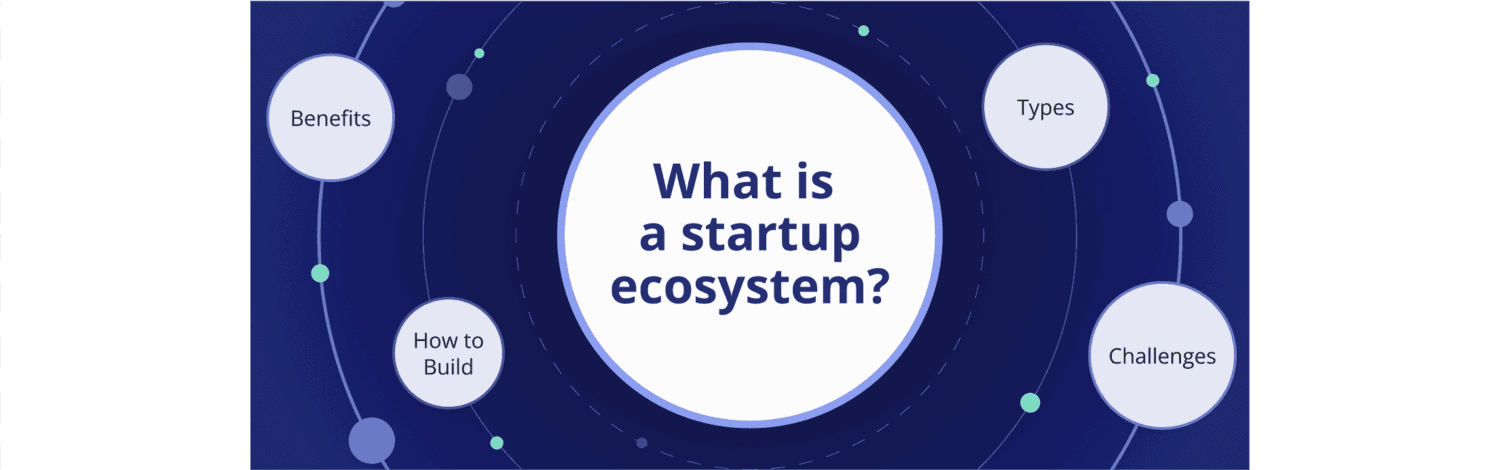
What Is a Startup Ecosystem? Types, Benefits, Challenges & How to Build One
A thriving startup ecosystem is more than a collection of startups. They connect entrepreneurs with mentors, investors with ideas, and researchers with real-world applications. The health of these networks shapes whether innovation thrives or stalls. For anyone leading an organization, supporting entrepreneurs, or driving regional growth, knowing how ecosystems evolve and how to strengthen them is now a competitive advantage.In this article, we’ll dive deeper into how these ecosystems function, the benefits they deliver, and the challenges they face is essential for anyone aiming to build or strengthen one.Key TakeawaysA startup ecosystem is a structured network that brings together startups, investors, universities, accelerators, support organizations, and government actors to foster innovation.Successful ecosystems include funding organizations, incubators, research partners, technical employers, and networking events that support collaboration and visibility.Ecosystems can be local, industry-specific, global, or virtual, each with unique opportunities and constraints.Common hurdles include fragmented digital tools, lack of mentorship, regulatory issues, and difficulty in sustaining engagement.Clear vision, strong networks, diverse funding, infrastructure, and continuous engagement are critical to long-term Ecosystem Development.What Is a Startup Ecosystem?A startup ecosystem is the structured environment where new businesses emerge, grow, and scale. It brings together founders, angel investors, accelerators, public organizations, and technical employers into one connected system. By interacting through networking events, digital hubs, and support organizations, startups gain access to capital, mentorship, and partnerships needed for success.Core Components of a Startup EcosystemA healthy startup ecosystem relies on multiple actors working together. Each plays a role in funding, mentoring, or enabling growth:Startups themselves: The central innovators driving new solutions.Investors and funding organizations: Including angel investors, venture capital, and crowdfunding campaigns.Incubators, startup accelerators, coworking spaces: Provide infrastructure, coaching, and community.Universities and research organizations: Supply talent, knowledge, and technology transfer.Support organizations and mentors: Offer training, business guidance, and connections.Public organizations and government interventions: Shape policy, provide grants, and remove regulatory barriers.Private sector and technical employers: Large technology company partners and financial services players that open markets.Networking events, digital hub, social networks: Enable collaboration, visibility, and knowledge sharing across Startup Communities.Types of Startup EcosystemsStartup ecosystems differ by geography, focus, and how support systems are structured. The most common categories include:Type #1: Local or Regional EcosystemsCity or region-based, linked closely to local economies. Examples include Berlin, Bangalore, or Silicon Valley, where startups thrive through proximity to talent, infrastructure, and policy support.Type #2: Industry-Specific EcosystemsBuilt around niches such as fintech or health tech. These ecosystems rely on specialized labs, research, and funding options designed for sector-specific growth, supported by targeted programs and expert networks.Type #3: Global Startup EcosystemsLarge, cross-border systems with worldwide reach. They connect venture capital, global startup ecosystems, and multinational technology company networks to scale startups rapidly across multiple markets.Type #4: Hybrid or Virtual EcosystemsEmerging after the shift to remote-first work, these ecosystems rely on digital hub platforms, online social networks, and virtual networking events to connect Startup Communities without physical boundaries.Benefits & Importance of Startup EcosystemsA strong startup ecosystem accelerates growth, fuels innovation, and connects founders with the right resources. These networks drive both economic and social value, making them essential for Ecosystem Development, sustainable entrepreneurship, and long-term resilience. They also serve as magnets for talent and investment, creating environments where startups can test, scale, and thrive faster than they could in isolation.Job Creation & Economic GrowthStartup ecosystems directly impact local economies by creating new jobs and business opportunities across industries. They attract investors and entrepreneurs, stimulate service providers, and foster spin-offs from research centers. When cities apply economic development best practices, they strengthen these multiplier effects and help startups contribute more meaningfully to regional growth.2. Access to Capital & PartnershipsBy connecting founders with venture capital, angel investors, and accelerator partnership opportunities, ecosystems expand access to essential funding options. This increases survival rates for early-stage ventures and enables scaling beyond local markets. Effective Startup Communities often integrate financing directly into their collaboration structures, as outlined in our resource on how to build community.3. Knowledge Sharing & InnovationWith universities, research organizations, and business mentors involved, ecosystems promote knowledge transfer that speeds up product development and commercialization. Collaboration reduces duplication of effort and strengthens outcomes. Strong policies around technology commercialization show how knowledge can be turned into viable businesses, reinforcing both innovation capacity and competitiveness.4. Stronger Startup CommunitiesBeyond business growth, ecosystems nurture Startup Communities that enable collaboration through social networks and networking events. These shared spaces improve trust, accelerate matchmaking, and increase retention of talent and founders. A focus on community-led growth ensures that ecosystems are not only scaling, but also staying resilient through active participation and long-term member engagement.Common Challenges in Startup EcosystemsA startup ecosystem offers many opportunities, but it also faces obstacles that can slow down progress. Understanding these challenges helps leaders and policymakers strengthen Ecosystem Development and build more resilient Startup Communities.Challenge #1: Lack of Mentorship & TalentOne of the biggest barriers is the shortage of skilled workers and experienced advisors. Without strong mentorship, startups risk repeating mistakes or failing to scale. Limited employee diversity and access to technical employers make it harder to attract talent. Platforms that encourage knowledge exchange and member engagement can help bridge this gap.Challenge #2: Policy & Regulatory HurdlesComplex rules and compliance requirements often delay new ventures. Startups rely heavily on public organizations and support organizations for clarity, but red tape slows them down. Ecosystems work best when regulations align with entrepreneurial needs, such as the government-led initiatives in Lower Saxony that show how policy support can foster innovation.Challenge #3: Limited Access to CapitalMany startups struggle with raising funds beyond seed stage. Gaps in funding organizations, weak investor network connections, or reliance on one type of financing make growth difficult. Access to venture capital, angel investors, and flexible funding options must improve. Communities that integrate tools like membership site software can create direct links between startups and investors.Challenge #4: Digital Fragmentation & Costly InfrastructureFounders waste time juggling disconnected tools, manual reporting, and expensive IT development. This slows down collaboration and raises costs. A unified digital hub reduces complexity and supports smoother Ecosystem Development. Streamlined solutions help organizations avoid fragmented systems and instead focus on building long-term value.Challenge #5: Weak Collaboration & VisibilityStartups often operate in silos, missing chances to connect through networking events or engage on social networks. This limits discovery and slows down partnerships. Stronger Startup Communities that highlight connections and foster trust will increase resilience. Here, visibility matters as much as funding or talent.Building ecosystems that overcome these barriers requires the right digital foundation. LoftOS helps reduce fragmentation, connect stakeholders, and enable sustainable collaboration across industries.How to Build & Strengthen a Startup EcosystemA startup ecosystem cannot thrive by chance. It requires structure, collaboration, and the right tools to succeed. The following steps outline how to build and strengthen an ecosystem while ensuring long-term Ecosystem Development and resilient Startup Communities. Each step matters, from aligning vision to sustaining member engagement, and together they create an environment where startups can scale faster and with fewer barriers.Step #1: Define Vision & GoalsThe foundation of any ecosystem is a clear vision. Stakeholders need a shared roadmap that aligns expectations and resources. When founders, support organizations, and investors understand the same goals, progress becomes measurable. This vision should be communicated openly, revisited frequently, and adjusted as conditions change. Strong ecosystems use this clarity to attract partners and inspire confidence, often following a structured platform guide to align strategy with execution.Step #2: Build Strong NetworksRelationships are the backbone of growth. Regular networking events, mentorship programs, and active social networks help startups find partners, advisors, and early adopters. Strong connections foster collaboration and open doors to opportunities that would not appear otherwise. Platforms make a real difference here—LoftOS events, groups, and chat tools allow organizers to host digital and hybrid meetups that strengthen ties in real time. For organizations building trust at scale, proven B2B community building methods show how to sustain collaboration.Step #3: Enable Access to CapitalWithout funding, most startups stall early. A strong ecosystem must provide multiple funding options, from venture capital and angel investors to crowdfunding campaigns. Expanding access to diverse channels reduces dependency on one source and raises survival rates. Transparent processes, clear pitch deck sharing, and direct investor network introductions accelerate growth. LoftOS supports this step through matchmaking and offers modules, which showcase funding opportunities and connect founders with the right backers.Step #4: Leverage Knowledge & InfrastructureKnowledge transfer and infrastructure are key drivers of innovation. Universities and research organizations supply talent and ideas, while technical employers provide opportunities for pilot projects and applied research.At the same time, ecosystems must fight digital fragmentation by creating one digital hub where information flows seamlessly. Platforms like LoftOS can play a supporting role, offering custom modules that organize knowledge and manage collaborations. Many organizations also rely on association management software to keep members, data, and processes aligned.Step #5: Foster Continuous EngagementAn ecosystem is only as strong as its members’ activity. Startup accelerators, incubators, and community leaders must ensure consistent involvement to maintain momentum. This means nurturing retention, encouraging recurring participation, and supporting startups as they expand into local economies. While leadership and culture are central, digital tools also matter. LoftOS strengthens engagement with event and networking features, built-in notifications, and analytics to track participation. Insights from community engagement metrics can be combined with a community engagement plan to guide leaders in sustaining vibrant communities for the long term.Building a thriving ecosystem requires more than funding and talent, it needs the right digital platform. LoftOS brings together events, matchmaking, custom modules, and community engagement tools to help organizations strengthen their ecosystems faster and with less effort.Example of a Successful Startup EcosystemOne clear example of a thriving startup ecosystem is StAfrica, the German-African community that connects startups, SMEs, and investors across both regions. Backed by Germany’s Federal Ministry of Economic Affairs, it has grown into a true digital hub where collaboration and business exchange happen daily. Using LoftOS, StAfrica built a cross-border community platform that combines member profiles, networking events, and knowledge sharing, reducing fragmentation and strengthening ties. See how they achieved this in the full case study on StAfrica’s startup community and explore additional online community examples for inspiration on building resilient Startup Communities.Build Your Startup Ecosystem with Innoloft’s No-Code PlatformRunning a thriving startup ecosystem does not need multiple tools and endless integrations. With Innoloft, you can manage everything in one place: events, member directories, matchmaking, and community management. Our no-code platform is flexible, customizable, and built for growth. Start building your ecosystem today by exploring LoftOS or dive deeper into our community management solution.
Best practices
5 Economic Development Tools & Software For 2026
Choosing the right economic development software can mean the difference between stalled initiatives and measurable progress. The best tools help you manage programs, track growth metrics, and engage stakeholders without getting bogged down in manual work. In this guide, you’ll find how Innoloft’s LoftOS along with other 4 tools compares plus key selection criteria to help you make an informed choice. We’ll also explore the must-have features you should prioritize to get the most from your investment.Key TakeawaysInnoloft: Best for public agencies and development organizations seeking an all-in-one solution for stakeholder engagement, data tracking, and project management.Feature priorities: Look for tools that integrate big data, enable efficient business registration, and support analytics at a granular level.Success with software depends on choosing a platform that aligns with your team’s workflow and your region’s local economy goals.1.Innoloft: Best Overall Economic Development SoftwareInnoloft is designed for organizations that need a single hub to manage stakeholder engagement, data insights, and public-facing portals. It’s a flexible, no-code platform that lets teams digitize services, run programs, and manage communications without IT dependency. From tracking economic indicators to managing events and community outreach, Innoloft helps you deliver measurable impact.Key FeaturesCustom ModulesLoftOS lets you design your own databases and workflows. You can build directories of startups, investors, or partners, set attributes and filters, and manage access levels. This gives full control over how data is collected, structured, and shared across regional initiatives.Events ManagementThe Events module supports online, offline, and hybrid formats. It includes ticketing with Stripe Connect, QR check-ins, customizable agendas, and built-in video conferencing. Networking formats like matchmaking and speed dating can be added to increase engagement between stakeholders.PipelinesPipelines provide a visual way to manage processes such as funding applications, project approvals, or program tracking. With Kanban boards and automations, organizations can keep workflows structured and transparent, reducing the need for external project management tools.PricingLoftOS offers flexible plans for different team sizes and needs:Free – For up to 5 users and 2 admins, unlimited visitors, core features, and self-service setup.Starter ($29/mo) – For small teams with up to 25 users, adds ticket & email support.Team ($349/mo) – For up to 250 users, includes onboarding, customizable domain, and 3 admins.Professional ($829/mo) – For up to 1,000 users, adds analytics, exports, roles & packages, and multi-language support.Enterprise (On request) – For 5,000+ users, all features, full white label, and unlimited admins.See the full plan breakdown on our pricing page.Where Innoloft ShinesStakeholder Engagement: Purpose-built for connecting startups, corporates, investors, and public bodies on one platform.Flexibility: Highly customizable modules allow agencies to adapt the system to regional priorities.Integrated Tools: Events, matchmaking, and reporting are built-in, avoiding the need for third-party add-ons.Where Innoloft Falls ShortGIS/Data Depth: LoftOS is not a GIS or heavy spatial analysis platform; external tools may still be needed for site selection.Customization Learning Curve: While flexible, setup requires clarity on processes and use cases.Customer Reviews“The flexibility and adaptability of the platform. The quick response rate of our CSM [sensitive content hidden]. The fact that we can build our own modules and programmes and now even our own category trees. ” - Capterra Review“I love the possibility of easy customization and openness of features to adapt to your dedicated use case. The company cares about its customers and listen to their new ideas or requirements to implement in the future. If there is any bug, the team is fast to repair it. ” - Capterra ReviewWho Innoloft is Best ForEconomic Development Agencies: Looking to centralize stakeholder management and program delivery.Clusters & Innovation Hubs: Needing matchmaking, events, and partner directories in one place.Government Programs: Aiming to support startups, entrepreneurs, and regional growth initiatives with measurable outcomes.2.Qwally: Business Visibility and Local Growth SupportQwally focuses on solving one of the most common challenges for economic development teams: lack of visibility into the businesses they serve. The platform helps agencies uncover, track, and engage every business in their community, from small home-based firms to established employers. Its mission is to make business data complete, actionable, and connected across departments.Key FeaturesIdentifyMap every business in a region, including unregistered or home-based operations, to build a complete picture of the local economy.ConnectMatch businesses to local, state, or federal resources, as well as to community partner programs, increasing access to growth opportunities.GrowAutomate onboarding, communication, and resource navigation for entrepreneurs, reducing administrative burden on staff.PricingQwally does not publish pricing. Interested organizations are required to schedule a demo with their team to receive a customized quote.Where Qwally ShinesLocal Business Mapping: Strong at identifying businesses often missed by traditional databases.Equity-Focused Outreach: Helps agencies ensure underserved groups are not left behind.Practical Outreach Tools: Real-time data allows for targeted and scalable engagement.Where Qwally Falls ShortNarrower Scope: Primarily focused on business visibility and outreach, not broader ecosystem features like event management or matchmaking.Integration Needs: Agencies may still need other tools for analytics, program tracking, or stakeholder collaboration.Who Qwally is Best ForCity and County Governments: Seeking to improve their understanding of the local business landscape.Economic Development Corporations (EDCs): Looking to modernize outreach and build equity-driven growth strategies.Policy and Program Teams: Needing actionable business data for targeted support programs.3. CivicServe: Comprehensive Compliance and Collaboration PlatformCivicServe positions itself as an all-in-one system for managing complex economic development programs. It helps agencies centralize data, ensure compliance, and streamline collaboration across departments and external partners. The platform emphasizes automation and transparency, enabling teams to manage projects, incentives, and properties with fewer manual processes.Key FeaturesEconomic Development ManagementMulti-agency architecture for collaboration, GIS data integration, role-based permissions, and template libraries for forms and processes.Customer Relationship Management (CRM)Public portals, internal/external communication tools, email delivery with custom tags, and history tracking for businesses and individuals.Project and Lead ManagementLifecycle project management, automated reminders, compliance checks, and configurable dashboards for reporting.PricingCivicServe does not publish pricing. Interested organizations must request a demo to receive tailored pricing information.Where CivicServe ShinesCompliance & Transparency: Strong tools for ensuring state and federal compliance in incentive and investment programs.Data Centralization: Consolidates information across departments, agencies, and stakeholders.Specialized Modules: Covers unique areas like property management and incentive tracking.Where CivicServe Falls ShortComplexity: The breadth of features can feel overwhelming for smaller teams with simpler needs.Modern Engagement Tools: Less emphasis on community-building features like events or networking compared to platforms like LoftOS.Who CivicServe is Best ForState and Regional Agencies: Needing robust compliance management and cross-department coordination.EDOs with Incentive Programs: Wanting to track, manage, and report incentive compliance effectively.Infrastructure & Property Teams: Focused on showcasing regional assets to investors and developers.4. UrbanLogiq: Smarter Economic and Transportation InsightsUrbanLogiq is a data analytics platform built to help governments and economic development organizations transform fragmented data into actionable insights. By combining spatial data, economic indicators, and alternative data sources, UrbanLogiq gives communities a unified view of local trends that support smarter planning and decision-making.Key FeaturesMain Street MonitoringIntegrates and visualizes data on businesses, vacancies, and demographics. Enables custom spatial analysis, automated health monitoring of business districts, and retail trend insights with shareable reports.Site Selection and AnalysisProvides access to public and private datasets on land use, businesses, and property availability. Supports parcel filtering, vacancy analysis, and detailed site statistics for planning and investment.Explore ModeA data discovery tool that allows users to join diverse datasets, analyze correlations, and uncover new insights. Designed to maximize the ROI of existing data investments.PricingUrbanLogiq does not publicly list pricing. However, their official page mentions that they operate a subscription-based pricing model. Pricing is only available via demo request.Where UrbanLogiq ShinesData Unification: Strong ability to combine siloed public and private datasets into a central view.Economic Development Use Cases: Well-suited for business district monitoring, land-use analysis, and investment planning.Transportation Insights: Unique value for cities needing specialized traffic and mobility data analysis.Automation: Reduces the burden of manual data management with pre-configured workflows and reports.Where UrbanLogiq Falls ShortLearning Curve: Advanced data tools may feel complex for users without technical expertise.Pricing Transparency: Limited public information about costs may deter smaller organizations.Engagement Features: Focuses heavily on data insights, with less emphasis on interactive community-building tools.Who UrbanLogiq is Best ForCity & Regional Planners: Seeking unified data insights for land use, mobility, and growth planning.Economic Development Offices (EDOs): Wanting to track business districts and support site selection with data-driven insights.Transportation Agencies: Focused on traffic operations, transportation planning, and engineering services.Government Teams: Looking to reduce data silos and automate reporting workflows.5. Arcadier: Marketplace Platform for Regional ProgramsArcadier is a marketplace platform that agencies use to showcase local supply, promote offers, and enable transactions. It supports programs that need listings, discovery, and merchant onboarding, helping teams run digital hubs alongside broader Public portals and stakeholder work.Key FeaturesInteractive Search and DiscoveryMap and showcase local boutiques, services, restaurants, and events, improving findability for visitors and buyers across business units.B2B Connection BuilderEnable partner-to-partner connections and collaboration for supplier matchmaking within a transactional context.Data‑Rich InsightsTurn marketplace activity into program reports to guide outreach and measure revenue generation.PricingArcadier publishes two primary options:$1,500/month, 12‑month contract, no upfront fee. Includes guided onboarding, white‑labeled hosted marketplace, access to a solution template, live environment setup, up to 300 merchants and 3,000 listings, and standard email support.$2,500/month, 24‑month contract, plus $5,000 one‑time setup. Includes client self‑hosted live marketplace, full API access for custom features and integrations, frontend control, sandbox and live environments, unlimited merchants and listings, and additional technical support.Where Arcadier ShinesTransactional Hubs: Strong for marketplace use cases that need listings, cart, and payments.Flexibility: API access and templates give room to extend or integrate CRM functionality and analytics.Tourism and Offers: Useful for visitor‑economy initiatives that want shoppable programs.Where Arcadier Falls ShortEDO Workflows: Not purpose‑built for incentives, BRE, or permitting; those require other tools.Community Engagement: Lighter on events, forums, or stakeholder collaboration compared to ecosystem‑oriented platforms.Data Depth: Lacks native big data or planning analytics; external systems are needed for deeper insight.Who Arcadier is Best ForTourism boards and city programs building a transactional portal for local merchants.Chambers and regional projects that need a marketplace to drive revenue generation alongside promotion.Agencies piloting a commerce layer to complement broader Public portals and outreach.How to Choose Economic Development SoftwareSelecting the right software starts with understanding your organization’s goals and challenges. You’ll want a platform that can adapt to your unique workflows, integrate critical data sources, and simplify complex processes. The best choice will combine ease of use with the depth of features needed to support your community’s growth and decision-making.Feature consideration #1: Data-driven decision-makingHaving access to actionable insights is critical. Innoloft provides robust analytics dashboards that integrate block-level data and demographic data for smarter planning. With filters for High Poverty Areas and zip code targeting, your team can focus resources where they’re needed most. Innoloft makes this simple with built-in data visualization tools.Try our Economic Development template and get started for freeFeature consideration #2: Streamlined public servicesFrom permit application processes to business registration portals, Innoloft offers configurable workflows that reduce bottlenecks. These features improve transparency and shorten processing times, giving residents and businesses a smoother experience. With Innoloft, setup takes days, not months.Feature consideration #3: Stakeholder engagement toolsInnoloft supports event hosting, networking, and collaboration through its integrated Event management system and communication modules. This ensures local businesses, policymakers, and community members stay connected and informed. The platform also tracks engagement metrics, so you can measure ROI.Drive Real Economic Impact with InnoloftEconomic growth depends on more than strategy, it needs execution tools that work in the real world. Innoloft gives you the power to plan, launch, and track initiatives while keeping every stakeholder engaged and accountable.Whether you’re revitalizing a regional economic development district, launching new workforce programs, or improving public service delivery, Innoloft provides the structure and insight to move projects forward.You can even start with our ready-to-use Economic Development template to build a functional, public-facing portal in days, complete with data dashboards, service applications, and engagement tools — all without coding. See how Innoloft can work for you.
Best practices
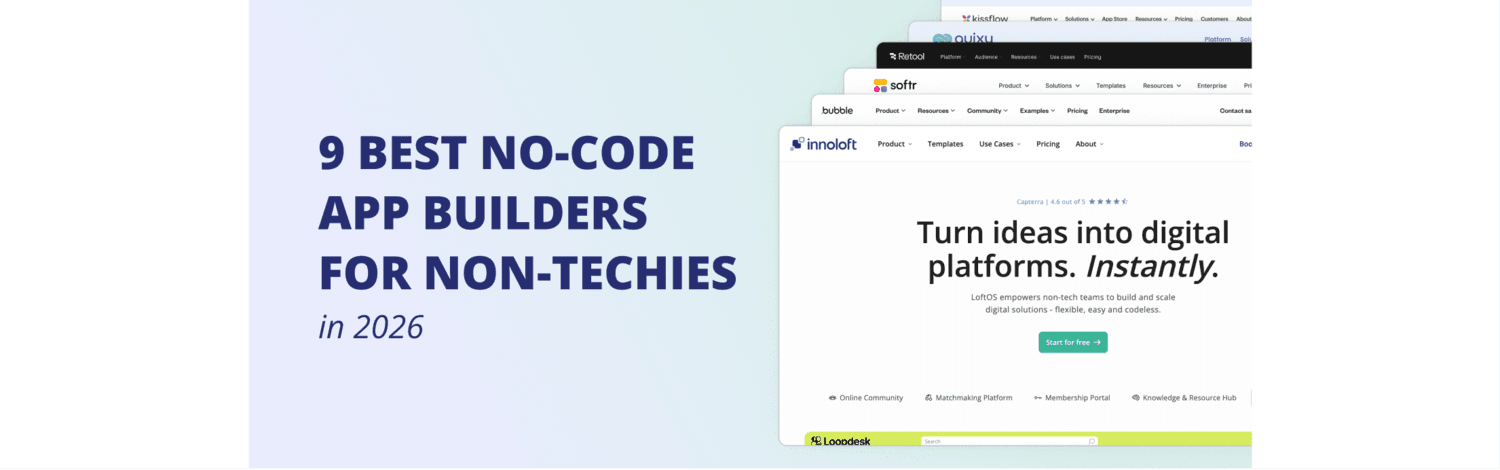
9 Best No-Code App Builders for Non-Techies in 2026
Finding the best no code app builder depends on what you want to build, how fast you need it, and the skills on your team. In 2026, no-code tools can power everything from simple internal dashboards to full-scale community platforms.Of course, choosing the best no code app builder can feel like comparing apples, oranges, and software you have never heard of. So we cut through the noise. In this guide, we’ve reviewed the top options for different needs, so you can quickly match the right platform to your project. Whether your priority is building a quick internal portal, enterprise workflows, or an investor‑ready SaaS MVPs, you’ll find a fit hereKey TakeawaysLoftOS – Best for organizations building community platforms, marketplaces, or matchmaking portals without technical teams.Softr – Best for SMEs and startups needing quick, simple apps or portals from Airtable or Google Sheets.Bubble – Best for founders who need highly customizable apps with complex logic.Retool – Best for internal tools and dashboards when data integration is the priority.1.Innoloft: Best No Code App Builder LoftOS is a flexible, powerful no-code platform designed for organizations that need more than just an app. It combines community building, matchmaking, event management, and content sharing in one system. With a focus on non-technical teams, LoftOS removes IT bottlenecks while giving you the tools to launch, manage, and scale complex platforms. Key differentiators include rapid setup, exceptional customer success support, and the ability to replace multiple tools with a single, integrated solution—saving time, reducing costs, and improving stakeholder engagement.Key FeaturesLoftOS brings together the flexibility of a powerful no-code platform with the depth of features usually reserved for enterprise systems. It enables you to build, launch, and scale platforms that go beyond simple apps, combining custom functionality, automation, and engagement tools in one system. Here are three features that set it apart from other no-code app builders.Stand Out Feature #1: Custom ModulesCustom Modules let you create tailored databases and layouts without coding. You can define attributes, control filters, manage access, and connect to external tools via webhooks or RSS feeds. This makes it possible to design unique modules that match your exact use case while keeping full control over structure and data. Whether it’s a partner directory, a resource library, or a custom project tracker, you can build it all without writing a single line of code.Stand Out Feature #2: EventsThe Events module handles online, offline, and hybrid events end-to-end. From ticketing with Stripe Connect and QR check-ins to customizable agendas, attendee pre-registration questions, and integrated video conferencing, everything is built-in. You can even add networking formats like speed dating or matchmaking for higher attendee engagement.Stand Out Feature #3: PipelinesPipelines give you a visual way to manage workflows and automate processes. Link profiles, applications, or events to Kanban cards, then move them through stages with clear status tracking. Automations can trigger updates or data transfers, keeping your operations organized without extra tools.PricingLoftOS offers flexible plans for different team sizes and needs:LoftOS Free – For testing and learning about LoftOS. Includes 5 users, 2 admins, and unlimited visitors.LoftOS Starter ($29/mo) – For small user numbers and low support needs. Includes 25 users, 2 admins, and ticket & email support.LoftOS Team ($349/mo) – Base features for moderate user numbers. Includes 250 users, 3 admins, onboarding by a customer success manager, and a customizable domain.LoftOS Professional ($849/mo) – Advanced features for larger user numbers. Includes 1,000 users, 10 admins, 2 languages, analytics, and a commerce package.LoftOS Enterprise (pricing on request) – Expanded customer success and high user numbers. Includes custom users, unlimited admins, all features, and full white label.See the full plan breakdown on our pricing page.Where Innoloft ShinesLoftOS is built for non-developers. It empowers teams without coding experience to create complex platforms quickly. That means faster MVPs, shorter project timelines, and lower staffing costs compared to traditional IT builds. At the same time, it’s flexible enough for almost any use case—from regional government portals and university research hubs to internal tools and B2B marketplaces.Where Innoloft Falls ShortLearning curve for flexibility: Its breadth of capabilities means initial setup and onboarding benefit from guided support.Not a single-purpose app: May be more than needed if you only require a simple, static website.Enterprise-level features: Some advanced capabilities are only available in higher-tier plans.Customer Reviews“The flexibility and adaptability of the platform. The quick response rate of our CSM [sensitive content hidden]. The fact that we can build our own modules and programmes and now even our own category trees. ” - Capterra Review“I love the possibility of easy customization and openness of features to adapt to your dedicated use case. The company cares about its customers and listen to their new ideas or requirements to implement in the future. If there is any bug, the team is fast to repair it. ” - Capterra ReviewWho Innoloft Is Best ForOrganizations that want to launch scalable platforms without coding, fast, adaptable, and ready for complex use cases. It’s ideal for teams that need to combine multiple functions, like events, matchmaking, and content sharing, in one place. LoftOS also suits those aiming to replace scattered tools with a single, integrated solution that saves time and reduces complexity.2. Softr – Best For Building From SpreadsheetsSoftr is an approachable no-code app builder for teams starting from spreadsheets or light databases. It offers a clean drag-and-drop interface and supports popular data sources like Airtable, Google Sheets, and Notion. It’s often chosen to quickly ship portals, dashboards, or other simple apps with a polished, web-ready finish.Key FeaturesBlocks and layouts: Pre-built components like lists, tables, charts, and forms make it possible to create professional-grade portals, CRMs, or resource directories without design skills.Access control: Define user roles and permissions, so client areas, intranets, or project spaces are securely managed.Automations and payments: Build workflows that automate notifications or approvals, and integrate Stripe for paid memberships or event bookings.PricingFree – 1 published app, 10 app users.Basic ($49/mo) – 3 published apps, 20 app users.Professional ($139/mo) – Unlimited apps, 100 app users.Business ($269/mo) – Unlimited apps, 2,500 app users.Enterprise (custom) – SSO, dedicated success support. See Softr’s pricing page for the full plan details.Where Softr ShinesFast to value: Non-technical teams can launch a working portal in a single afternoon.Integrations: Direct Airtable and Google Sheets sync means data updates automatically, removing manual work.Templates: Pre-configured designs for CRMs, marketplaces, and directories help teams start quickly and adapt for specific needs.Where Softr Falls ShortComplex logic: Multi-step workflows and custom rules are limited.Scalability: Large datasets may load slowly, especially for public-facing apps.Advanced features: Robust analytics or deeply custom UI elements require other tools or custom code.Customer Reviews"Softr is honestly the only website maker that is free for most functions and it is SUPER easy to use." – Capterra Review“I like the no code application development It is simple to use and has amazing application development features.” – Capterra ReviewWho Softr Is Best ForSmall to mid-sized businesses and teams that want to turn spreadsheets into functional, client-facing portals or internal tools in days, without a steep learning curve.3. Adalo – Best For Mobile-First AppsAdalo focuses on creating consumer-facing mobile apps while also supporting web publishing. It uses a visual builder so you can design once and publish to iOS, Android, and the web. Adalo is well-suited for MVPs, e-commerce apps, and community apps that require a native mobile experience.Key FeaturesVisual builder: Drag components, connect screens, and define user flows to create apps for booking services, social networking, or selling products.Data options: Use Adalo’s built-in database or connect to Airtable, Xano, or APIs to pull in live data.Publishing: Publish directly to app stores or a custom domain, giving full control over user access.PricingFree – Unlimited screens, testing only.Starter ($36/mo) – 1 published app, custom domain.Professional ($52/mo) – 2 published apps, geolocation.Team ($160/mo) – 5 published apps, Xano integration.Business ($200/mo) – 10 published apps, add-on pricing. Check Adalo’s pricing page for the full breakdown.Where Adalo ShinesMobile first: Optimized for native mobile experiences with smooth performance.Component marketplace: Add chat features, maps, or payments without building from scratch.One-click publishing: Removes the friction of preparing apps for multiple stores.Where Adalo Falls ShortComplex apps: Limited for apps needing advanced automation or analytics.Data limits: Record and background task caps on lower tiers.Scalability: Multi-tenant or enterprise apps may push platform limits.Customer Reviews“It's quite fast and easy to build an app. It has an intuitive editor, and the build process is well automated.” – Capterra Review“Drag and drop functionality is particularly very useful and easy to apply to the building and design process. Allows you to experiment quite easily, giving you a lot of flexibility to try out variations of layouts and structure of your app until it feels just right.” – Capterra ReviewWho Adalo Is Best ForFounders, startups, and small teams that need an affordable and fast way to launch consumer-facing mobile or hybrid apps, with the option to publish to multiple platforms from one build.4. Bubble – Best For Complex, Custom Web AppsBubble is a powerful no-code platform for creating fully custom web apps. It offers deep workflows, responsive design, and a large plugin ecosystem. It’s widely used for marketplaces, SaaS products, and CRMs that require unique logic and scalable infrastructure.Key FeaturesVisual workflows: Build conditional logic, triggers, and multi-step processes for onboarding flows, checkout experiences, or admin dashboards.Database and hosting: Store, search, and manage complex data structures, with hosting included.Extensibility: Use APIs and plugins to connect to external systems, add payment processing, or integrate AI features.PricingFree – Development version only.Starter ($59/mo) – Live app, custom domain.Growth ($209/mo) – 2 app editors, version control.Team ($549/mo) – Sub-apps, 5 editors.Enterprise (custom) – Security and scaling features. See Bubble’s pricing page for detailed limits.Where Bubble ShinesCustom logic: Perfect for applications where workflows are a competitive advantage.Ecosystem: Thousands of plugins for everything from video streaming to CRM tools.Scalability: Handles growth from MVP to mature product.Where Bubble Falls ShortLearning curve: Takes time to master for non-technical founders.Performance tuning: Heavy apps need optimization for speed.Mobile: Native publishing requires extra steps.Customer Reviews“Easy to use and deploy apps. Good design editor for responsive pages. Has front-end and back-end features. Easy to integrate with REST APIs. Vast plugin marketplace.”– Capterra Review“Can do a lot without code. Leaning modules Full control over the design. Very flexible.” – Capterra ReviewWho Bubble Is Best ForProduct teams and entrepreneurs building web app platforms, SaaS products, or marketplaces that need custom logic, flexibility, and room to grow.5. Retool – Best for Internal Tools and Developer TeamsRetool combines a visual editor with code flexibility, making it a favorite among engineering teams for building secure, data-driven internal tools. It integrates with databases, APIs, and services, supporting role-based access and enterprise governance.Key FeaturesPre-built components: Use ready-made tables, forms, and charts to assemble dashboards, admin panels, or customer support tools quickly.Data connectors: Connect to SQL, NoSQL, REST, and GraphQL sources to pull in operational data in real time.Workflows and versioning: Automate tasks like reporting or alerts, manage releases through Git, and control access with RBAC.PricingFree – Up to 5 users, 500 workflow runs.Team ($10/mo per user + $5/mo per end user) – Staging environments, release versions.Business ($50/mo per user + $15/mo per end user) – Audit logs, advanced permissions, portals.Enterprise (custom) – SSO, source control, dedicated support. See Retool’s pricing page for more details.Where Retool ShinesInternal tools: Ideal for operational software where speed and data integrity matter.Connectivity: Broad database and API support reduces integration work.Governance: Built-in compliance and auditing features help meet industry standards.Where Retool Falls ShortAudience: Requires technical knowledge to get full value.Public apps: Not suitable for consumer-facing builds.Design: Less control for custom, pixel-perfect layouts.Customer Reviews“Everything. They're always adding new features, the AI support is great, the integrations are world-class, it's always easy to add new integrations they don't have, and their webinars and material make it easy to stay on the cutting edge. On top of that, their embedded apps make it easy to deploy new features in beta to end users and see how they use them, iterating rapidly before committing to a full build.” – Capterra Review“Its ease of use and low barrier to entry but is extensible using python and/or javascript. The scope for integrations is great and the fledgling community forum is a useful place for assistance and inspiration.” – Capterra ReviewWho Retool Is Best ForEngineering-focused organizations that want to build and maintain secure, integrated internal tools quickly, with full control over data sources and workflows.6. Kissflow – Best for Enterprise Process AutomationKissflow is a low-code platform designed for enterprise-grade process automation and custom application development. It bridges the gap between IT teams and process owners, enabling both to build apps that replace spreadsheets and manual workflows.Key FeaturesProcess Builder: Drag-and-drop visual mapping for business processes like procurement approvals or HR onboarding.Workflow Orchestration: Combine structured and unstructured workflows for complex automation.Decision Tables: Define and automate complex business logic without coding.App Builder: Create fully customized apps with tailored UI designs.Governance Module: Manage permissions, enforce standards, and maintain compliance.AI Assistance: Generate form fields, code snippets, and integration mappings automatically.External Portals: Extend apps to vendors, partners, or customers.PricingBasic (starts at $2,500/mo) – Unlimited workflows, integrations, project boards, pages, and dashboards for up to 50 users.Enterprise (custom) – Adds AI features, governance, intelligent document processing, and external portals. Check Kissflow’s pricing page for full details.Where Kissflow ShinesEnterprise readiness: Scales for global brands with robust governance and compliance.Unified platform: Combines process automation, app building, and case management.Citizen development: Empowers non-technical users to create apps with minimal IT dependency.Where Kissflow Falls ShortPricing: Entry-level pricing starts high for small teams.Learning curve: Full feature set requires training for optimal use.Customer Reviews“The best thing about Kissflow is its no code workflow automation. It makes process automation accessible to non-technical users, allowing them to build and manage workflows with a simple drag and drop interface.” – Capterra Review“The user interface is an amazing performance. Workflow management is very easy. No code platform.” – Capterra ReviewWho Kissflow Is Best ForLarge enterprises with multiple departments that need both IT-led and citizen-led development for automating processes and building governed, scalable apps.7. Quixy – Best for No-Code Business Process ManagementQuixy is a cloud-based BPM and app development platform that empowers business users to automate workflows and build enterprise applications without code.Key FeaturesVisual App Builder: Drag-and-drop interface for creating complex enterprise apps.Form Builder: Design smart forms with validations, conditional logic, and multiple input types.Workflow Automation: Model and automate business processes with conditional rules, approvals, and alerts.Reporting & Analytics: Track KPIs, identify bottlenecks, and optimize processes.Integrations: Connect to third-party systems for seamless data exchange.Document Generation: Automatically create contracts, reports, or invoices from data inputs.Multi-Language Support: Build apps accessible to a global user base.PricingSolution – Ideal for high user counts but low app volume (quote-based).Platform – Ideal for high app/workflow volume (quote-based).Enterprise – For organizations requiring advanced governance and scalability (quote-based). Visit Quixy’s pricing page for more information.Where Quixy ShinesSpeed: Build apps 10x faster compared to traditional development.Flexibility: Wide variety of use cases, from HR to supply chain.Governed citizen development: Safe environment for non-developers to innovate.Where Quixy Falls ShortPrice transparency: Requires quotes for all tiers.Advanced customizations: Some may require technical assistance.Customer Reviews“Integration of all processes in a business environment is essential. So with Quixy what I like the most is data access / transparency across department and organization. Report system that summarizes the key elements for a business are easily configurable and accessible. Data Access, Review and Sharing under one umbrella, with utmost ease is what you get with Quixy.” – Capterra Review“Quixy has some cool features which we could not notice in any other platform. It is majorly the speed, ease of use, and the response from the customer success team which I liked the most throughout the journey. The platform helped us to build our procurement management system within 12 days. Quixy is so flexible that we could edit the app and ensure that the app works with the change of business processes within no time.” – Capterra ReviewWho Quixy Is Best ForEnterprises seeking to decentralize app development and empower business teams to build their own solutions while maintaining IT oversight.8. Unqork – Best for Large-Scale, Code-Free Enterprise AppsUnqork is a zero-code Enterprise App Cloud built for mission-critical apps in sectors like finance, healthcare, and public services.Key FeaturesVisual Development: Drag-and-drop UI with reusable components.Integration Gateway: Connect with 700+ external systems.Security & Compliance: Enterprise-grade encryption and compliance with FATCA, CRS, EMIR.Application Lifecycle Management: Version control, multi-region deployment, and environment optimization.Marketplace: Pre-built apps, templates, and integrations.AI Integration: Add AI-driven automation and analytics.PricingCustom – Tailored pricing based on organization needs. Contact Unqork for a personalized quote.Where Unqork ShinesEnterprise scale: Handles highly regulated, complex applications.Integration depth: Works with a vast array of legacy and modern systems.Security-first design: Meets stringent industry compliance standards.Where Unqork Falls ShortCost: Likely premium pricing for enterprise budgets.Complexity: Designed for large teams with structured implementation plans.Customer Reviews“The drag and drop and integration tools are easy to understand and deploy. We were able to get several projects up and running in a few days and as comfort increases some of the users are creating some really simple applications in hours.” – Capterra reviewWho Unqork Is Best ForEnterprises in regulated industries that need to build secure, scalable applications with zero-code tools and extensive integration capabilities.9. Zoho Creator – Best for Customizable Business Apps Across IndustriesZoho Creator is a low-code application development platform enabling businesses to build web and mobile apps tailored to their operations.Key FeaturesDrag-and-Drop Interface: Create forms, reports, and dashboards visually.Pre-Built Templates: Ready-to-use templates for quick deployment.Workflows & Automation: Streamline processes with a visual workflow builder.Integrations: Connect with Zoho suite and third-party tools like Google Workspace and Salesforce.Security: Role-based access control, encryption, audit logs.Mobile App Development: Build native iOS and Android apps.AI Features: Sentiment analysis, prediction fields.Advanced Customization: Deluge scripting for complex logic.PricingStandard ($8/user/mo) – 1 app, 90 automation schedules, 5 data sources.Professional ($20/user/mo) – Unlimited apps, 300 automation schedules, 15 data sources.Enterprise ($25/user/mo) – Unlimited apps, 600 automation schedules, 30 data sources, and custom domain and app.Flex (custom) - For individual requirements.See Zoho Creator’s pricing page for details.Where Zoho Creator ShinesAffordability: Competitive pricing for SMBs and enterprises.Customizability: Flexible enough for both simple and complex apps.Integration-ready: Works seamlessly with business suites and external APIs.Where Zoho Creator Falls ShortLearning curve: Advanced features require learning Deluge scripting.Performance: Large datasets may impact load times.Customer Reviews“I manage leads in better way in zoho creators. I get leads from leadforms, website and email in zoho creators so It's help me to better lead management.” – Capterra Review“I like most about Zoho creator is that it is very easy to prepare the custom apps without knowing the code. Its custom campaign apps and lead tracking app are very useful in marketing industries.” – Capterra ReviewWho Zoho Creator Is Best ForBusinesses of all sizes looking for an affordable, flexible platform to create tailored web and mobile apps, with the option to scale into complex automation as needs grow.How to Choose the Best No‑Code App Builder SoftwareSelecting the best no code app builder software starts with clear priorities: data ownership, learning curve, and future compliance, before features or pricing distract you. Before committing to a tool, walk through our step-by-step guide to building a web app — it covers scoping, architecture decisions, and the rework patterns most teams hit in month two.Lock in Your Data FoundationEvery app lives or dies by its data. Decide early whether your information stays in spreadsheets, a cloud database, or an ERP API. Good app building software should map cleanly to that source, import historical records without loss, and let non‑developers tweak schemas later. If the front‑end experience matters most, skim our design without code guide to see how visual layers can sit on top without breaking migration paths down the line.Balance Speed with Skill BandwidthTime costs more than license fees. Lightweight no code platforms promise launch in hours, but deeper logic often means mastering workflows, conditionals, and security rules. Gauge how many hours your team can realistically spend learning, documenting, and supporting the tool. For a reality check on internal capacity versus outsourcing, see our concise build vs buy analysis that breaks down hidden maintenance, talent shortages, and the break‑even point after year one.Future‑Proof for Scale and ComplianceGrowth adds integrations, roles, and audits that crush brittle tools. Choose a platform with version control, granular permissions, and region‑based hosting before regulators ask. Mature visual development suites expose APIs, emit exportable code, and plug into CI/CD so IT never feels boxed in. Enterprise features cost more today but save re‑platform headaches tomorrow. LoftOS, for instance, lets admins extend modules without forked code, keeping upgrades simple as usage and data volumes surge.Build Custom Apps Without Writing a Single Line of Code With InnoloftSkip the six‑month backlog and launch a branded portal in days. LoftOS lets you drag modules for community, events, or matchmaking into place, add your logo, and go live, no code platforms learning curve, no hidden maintenance.Its modular library grows with you: switch on payments, automate roles, connect CRM data when you are ready. Organizations across industries, from research to regional government agencies already rely on LoftOS as their development backbone to keep members engaged and workflows flowing. Ready to see it in action? Explore our templates.
